Implement back-channel logout
Back-channel logout, defined in the OpenID Connect (OIDC) specification, allows logging out of client applications without user interaction. Unlike front-channel logout that relies on the user's browser to notify each client application, back-channel logout happens entirely through server-to-server communication between the authorization server and the client applications.
For protocol details, see the OpenID specification: OpenID Connect Back-Channel Logout 1.0.
How it works
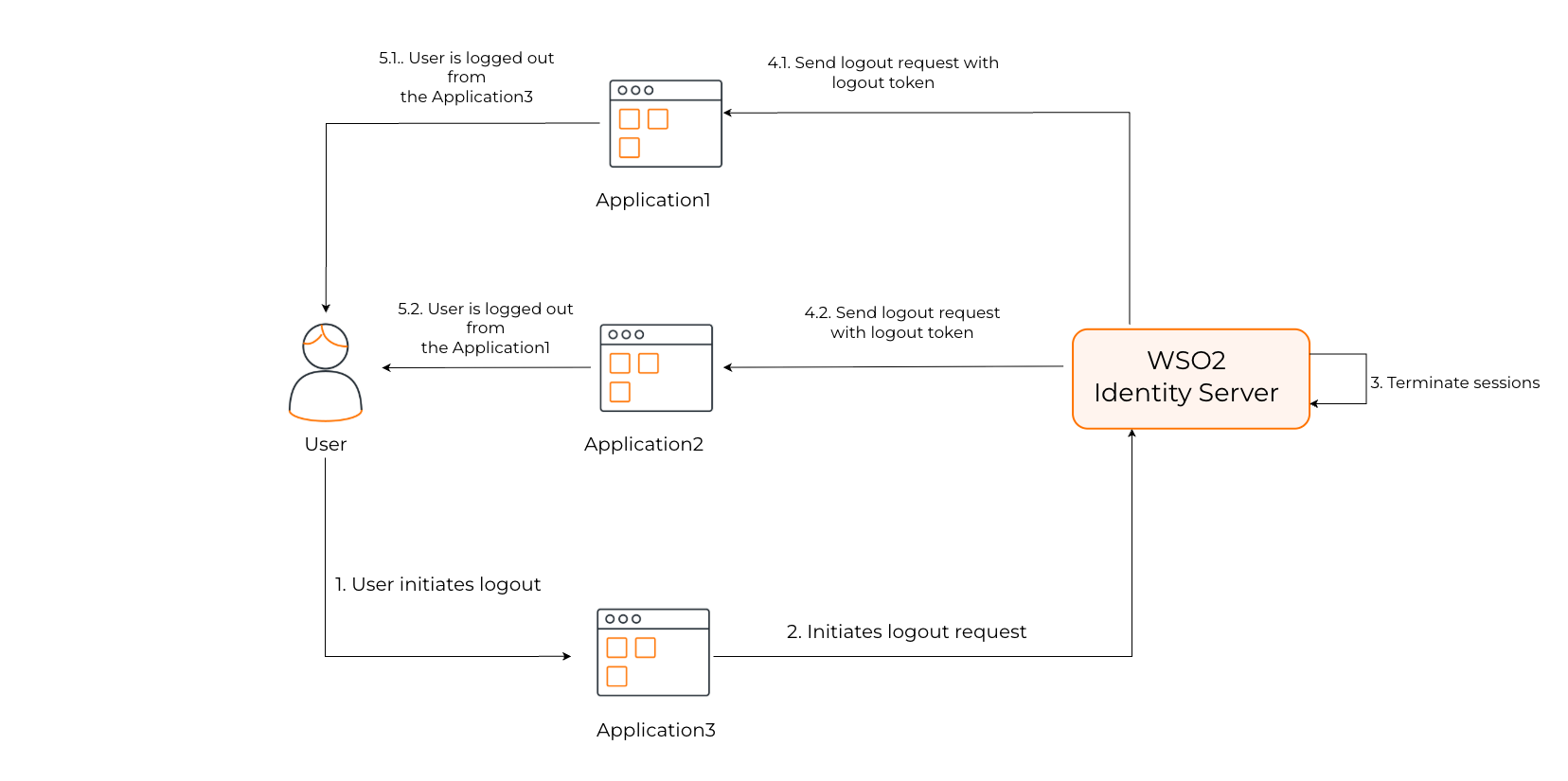
The underlying message flow of OIDC back-channel logout happens as follows:
- The client application initiates a user logout.
- WSO2 Identity Server identifies all the client applications associated with the user's session.
- WSO2 Identity Server generates a logout token, a special JWT (JSON Web Token) containing specific claims and sends it with a logout request to the logout endpoints of all the client applications.
- Upon receiving the logout token, each client application validates the token and proceeds to invalidate the corresponding user session.
Configure back-channel logout URL
Follow the steps below to register the back-channel endpoint of your application with WSO2 Identity Server.
Before you begin
Register your OIDC application in WSO2 Identity Server.
-
On the WSO2 Identity Server Console, go to Applications and select your OIDC application.
-
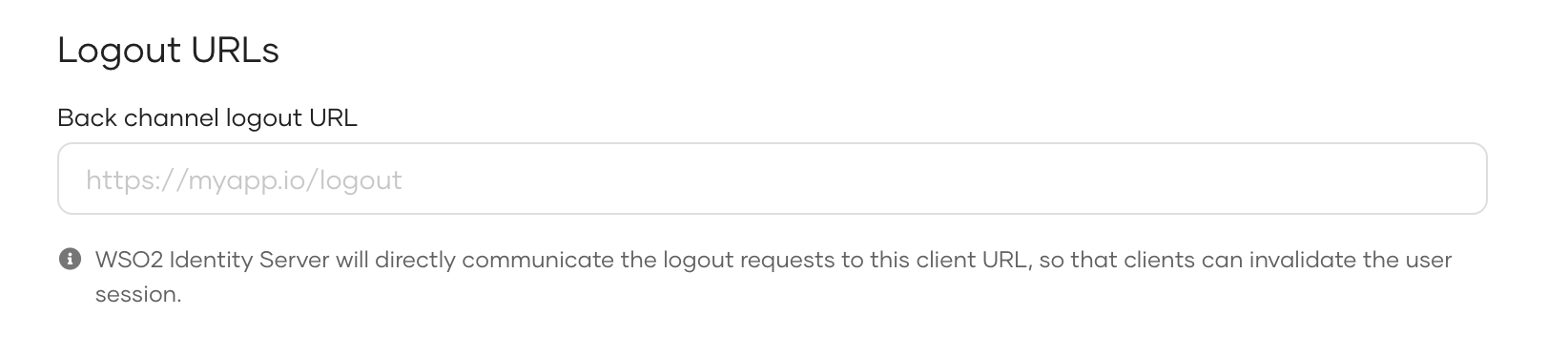
Go to the Protocol tab, and under Logout URLs, enter the Back channel logout URL.
-
Click Update to save your configurations.
Set up your client application
To complete the back-channel logout flow, you must set up the client application so that it can perform the following required actions.
-
Receive back-channel logout requests - The client application must expose an endpoint that accepts POST requests from the authorization server to handle logout requests. You need to register this endpoint with WSO2 Identity Server.
-
Validate the logout token - The following is an example of the logout token sent by the WSO2 Identity Server to a client application:
{
"iss": "https://localhost:9443/oauth2/token",
"sub": "aa21e449-****-****-****-****a6a3961f",
"aud": "w_Hwp05dF****_****9SNwpflAa",
"iat": 1609911868,
"exp": 1609911988,
"jti": "16159e3e-****-****-****-b0782ab33d58",
"sid": "15043ffc-****-****-****-9b107f7da38c",
"events": {
   "http://schemas.openid.net/event/backchannel-logout": {}
   }
}
Your client application must perform JWT token validation as defined in the OIDC back-channel logout specification. A summary of the validations is below.
-
iss: Must match your trusted issuer. -
aud: Must match your application's client ID. -
iatandexp: Must be within a valid timeframe. -
events: Must contain the http://schemas.openid.net/event/backchannel-logout claim. -
sid: Must be present to identify the session.
-
-
Terminate the user session - Once the client validates the token and determines it to be valid, the client should use the
sidclaim to locate and terminate the user's session.