Account Confirmation methods for Self-Registration
WSO2 Identity Server supports self-registration, allowing users to set up their accounts and receive a confirmation when the account is created.
Info
UI-based user self-registration only allows email verification for self-registered user accounts.
WSO2 Identity Server self-registration portal does not support account verification through SMS OTP. Therefore, if a tenant needs to confirm self-registered accounts through SMS OTP, they need to build up their self-registration portal and incorporate the API provided in this guide section.
Users can confirm their accounts via a user-preferred communication channel. Based on the user preference, the user self-registration process
supports EMAIL or SMS as the preferred account confirmation channel for the user.
Each channel has the following attributes.
| Channel Type | Claim | Channel verified claim |
|---|---|---|
| SMS | http://wso2.org/claims/mobile | http://wso2.org/claims/identity/phoneVerified |
| http://wso2.org/claims/emailaddress | http://wso2.org/claims/identity/emailVerified |
The account confirmation channel is selected based on the following scenarios.
SMS: If the user has provided only the mobile number, the confirmation channel will be SMS.EMAIL: The confirmation channel will beEMAILif the user has provided only the email address.-
Either
SMSorEMAIL: If the user has provided a mobile number and an email address, the confirmation channel will be either SMS or EMAIL.Note
- In this case, the account confirmation channel will be the preferred channel selected by the specific user. If the user has not specified any preferred channel, the server-configured channel is selected as the account confirmation channel.
Configure account confirmation methods on WSO2 Identity Server
The section of the guide walks you through configuring account confirmation methods.
Set up self-registration on WSO2 Identity Server
-
Configure the preferred self-registration verification method provider.
-
Add the following configurations to the
deployment.tomlfile:[identity_mgt.notification] default_notification_channel = "<value>" resolve_notification_channel = trueParameter Description Value default_notification_channelThis is used to set the default notification mechanism in WSO2 Identity Server. WSO2 Identity Server will consider EMAILas the default notification channel if this is not configured.SMSorEMAILresolve_notification_channelThis resolves the user's preferred notification channel. true -
Sign in to the WSO2 Identity Server Console application as an administrator.
-
Enable User Self Registration
Self registering a user
A user can be self-registered on the WSO2 Identity Server using the following methods:
- Using the default notification channel as the account confirmation method for the user.
- Using a user preferred channel as the account confirmation method for the user.
With the default notification channel
Let's try a scenario where the SMS configured as the default_notification_channel in deployment.toml file.
Open a terminal and execute the following cURL command to self register a user.
curl -X POST
-H "Authorization: Basic <Base64(username:password)>"
-H "Content-Type: application/json"
-d '{
    "user": {
        "username": "kim",
        "realm": "PRIMARY",
        "password": "Password12!",
        "claims": [
            {
                "uri": "http://wso2.org/claims/givenname",
                "value": "kim"
            },
            {
                "uri": "http://wso2.org/claims/emailaddress",
                "value": "[email protected]"
            },
            {
                "uri": "http://wso2.org/claims/lastname",
                "value": "Anderson"
            },
            {
                "uri": "http://wso2.org/claims/mobile",
                "value": "+947721584558"
            }
        ]
    },
    "properties": [
        {
            "key":"callback",
            "value": "https://localhost:9443/authenticationendpoint/login.do"
        }
    ]
}' "https://localhost:9443/api/identity/user/v1.0/me"
If the user account is created, you will receive a 201 Created response code. You can see the created user account from the Console.
Go to User Management > Users and click on Kim's User Account. You will see that Kim's user account is locked by default.
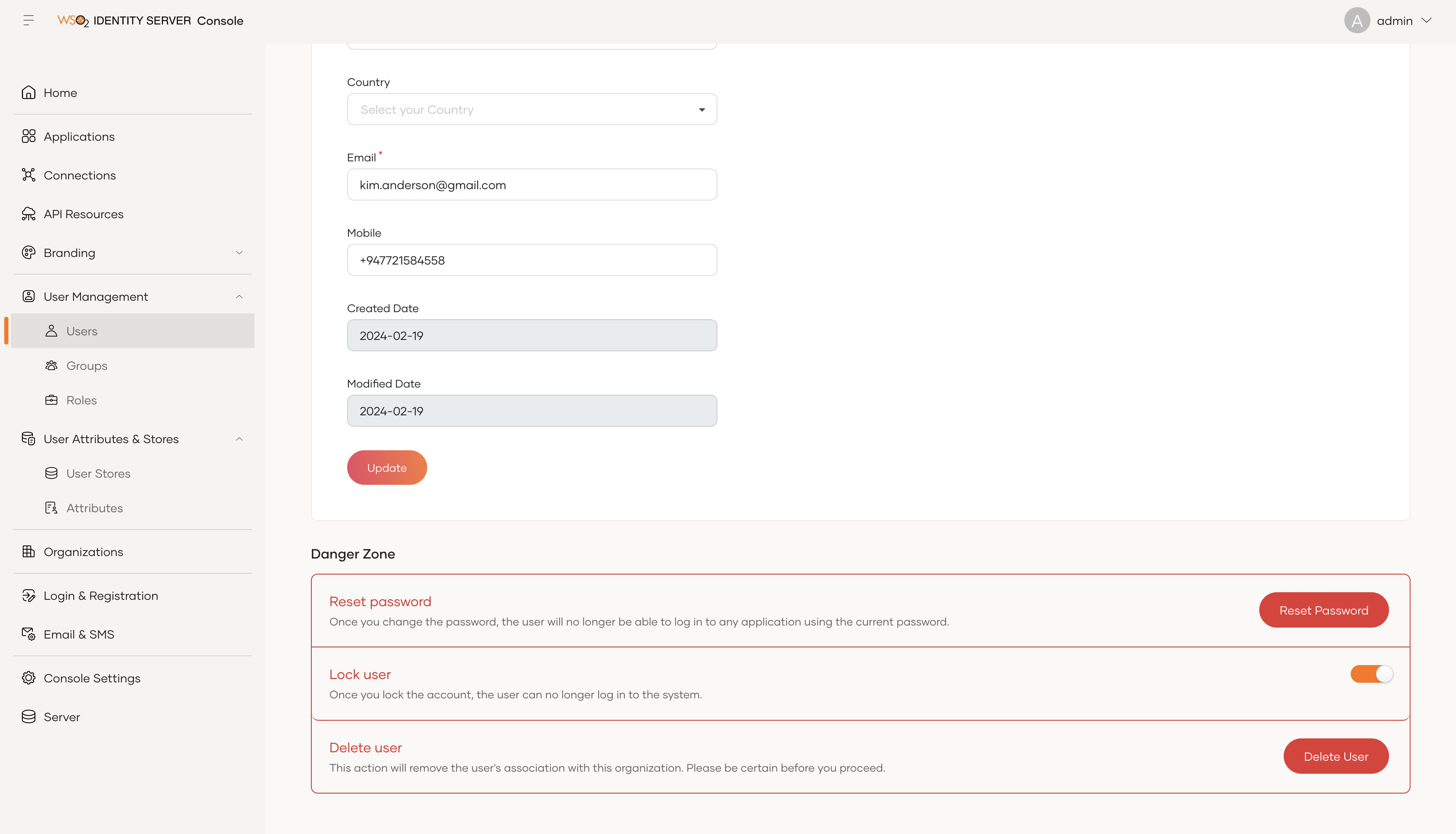
Kim should receive a confirmation message when the account is created through the default notification channel configured in the deployment.toml file.
In this scenario, Kim should receive a SMS to the registered mobile number since in the deployment.toml file, the default_notification_channel is
configured as "SMS".
With a preferred notification channel
Let's add a new user named John with the following claims configured.
In this scenario, the user specifies the notification channel in the self registration cURL request. When the preferred notification channel is
included in the request, the default_notification_channel parameter in the deployment.toml file will not be considered.
Open a terminal and execute the following cURL command to self register a user.
curl -X POST
-H "Authorization: Basic <Base64(username:password)>"
-H "Content-Type: application/json"
-d '{
    "user": {
        "username": "john",
        "realm": "PRIMARY",
        "password": "Password12!",
        "claims": [
            {
                "uri": "http://wso2.org/claims/givenname",
                "value": "John"
            },
            {
                "uri": "http://wso2.org/claims/emailaddress",
                "value": "[email protected]"
            },
            {
                "uri": "http://wso2.org/claims/lastname",
                "value": "Doe"
            },
            {
                "uri": "http://wso2.org/claims/mobile",
                "value": "+947721584559"
            },
            {
                "uri": "http://wso2.org/claims/identity/preferredChannel",
                "value": "EMAIL"
            }
        ]
    },
    "properties": [
        {
            "key":"callback",
            "value": "https://localhost:9443/authenticationendpoint/login.do"
        }
    ]
}' "https://localhost:9443/api/identity/user/v1.0/me"
Note that John's user account is locked.
John should receive a confirmation message when the account is created through the preferred notification channel specified in the request.
According to the configured scenario, John should receive an email to the registered email address even in the deployment.toml file has the
default_notification_channel parameter as "SMS". John can click the Confirm Account to confirm the self registration.
Similar to the previous scenario, user can self register with SMS as the preferred notification channel.
In that scenario, John should get a SMS with a confirmation code that can be used to confirm the self registered user account. User can execute the
following cURL command by replacing the code parameter with the OTP received to the notification channel.
curl -X POST
-H "Authorization: Basic <Base64(username:password)>"
-H "Content-Type: application/json"
-d '{
    "code": "<OTP>"
}' "https://localhost:9443/api/identity/user/v1.0/validate-code"
The self registered user account will be unlocked after successful account confirmation from each scenario.
Info
For the other requests and responses of the user self register APIs:
- Go to self register user API doc.
- Expand the Example section in the Request samples section and select the type of registration request from the list.
Account Confirmation
WSO2 Identity Server now supports multiple verification channels and allows defining the verified channel in the API request.
A sample request JSON body is as follows.
{
    "code": "1a39ec29-9417-4f69-93b6-b7f2bbf75413",
    "verifiedChannel":{
        "type":"SMS",
        "claim":"http://wso2.org/claims/mobile"
    },
    "properties": []
}
Refer the API of self-register validate-code endpoint to see the request and the responses.
By using the verifiedChannel parameter, the user can be verified with any server-supported channel. In the above example, using the confirmation code, the SMS channel for the user can be set as the verified notification channel.
| Property Name | Description |
|---|---|
| Type | Type of the verified notification channel. Currently, WSO2 Identity Server supports SMS and EMAIL channels. |
| Claim | The value claim of the verified channel. All claims and terms are case-sensitive. |
Info
In an account confirmation request,
- If the request does not specify the
verifiedChannelparameter, the Email verified claim would be set to TRUE by the server. - If the request includes the
verifiedChannelparameter, and if the server supports the verified channel, the verified claim associated with that channel will be set toTRUE. - If the verified channel is not supported, an error will be thrown.
Info
For more information, please refer Self registration verification process