Configure email address as the username
Warning
Configuring the email address as the username in an already running Identity Server is not the production recommended way. Therefore, make sure to configure it before you begin working with WSO2 IS.
-
Log in to the WSO2 Identity Server Console and click User Attributes & Stores > Attributes.
-
Click the Username attribute and configure the
Mapped Attributeasmail.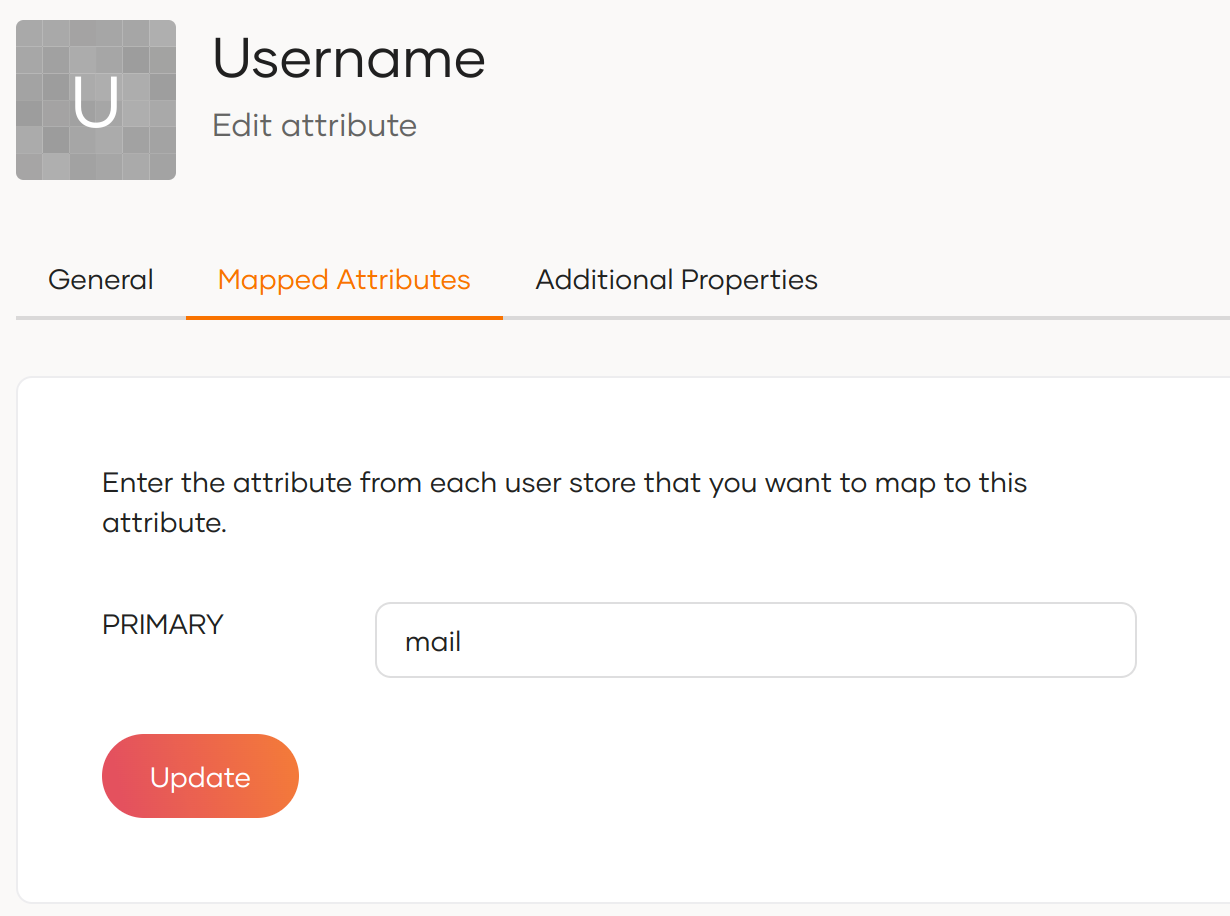
-
Click Update to save the changes.
-
Open the
<IS_HOME>/repository/conf/deployment.tomlfile. -
Add the following configuration to enable email authentication.
-
Configure the following set of parameters in the userstore configuration, depending on the type of userstore you are connected to (LDAP/Active Directory/ JDBC).
Parameter Description UserNameAttribute
Set the mail attribute of the user. LDAP/Active Directory only
[user_store]
user_name_attribute = "mail"UserNameSearchFilterUse the mail attribute of the user instead of
cnoruid. LDAP/Active Directory only
For example:In LDAP,
[user_store]
user_name_search_filter ="(&(objectClass=person)(mail=?))"
In Active Directory,[user_store]
user_name_search_filter ="(&(objectClass=user)(mail=?))"UserNameListFilterUse the mail attribute of the user if necessary. LDAP/Active Directory only
For example:In LDAP,
[user_store]
user_name_list_filter ="(&(objectClass=person)(!(sn=Service)))"
In Active Directory,[user_store]
user_name_list_filter ="(&(objectClass=user)(!(sn=Service)))"UsernameWithEmailJavaScriptRegExChange this property that is under the relevant userstore manager tag as follows. This property validates usernames when email is used as the username and allows special characters like "@" in the username.
[user_store.properties]
UsernameWithEmailJavaScriptRegEx = '^[a-zA-Z0-9_@.+-]{5,200}$'UsernameJavaRegExThis is a regular expression to validate usernames. By default, strings have a length of 5 to 30. Only non-empty characters are allowed. You can provide ranges of alphabets, numbers and also ranges of ASCII values in the RegEx properties.
[user_store]
username_java_regex = '^[a-zA-Z0-9._-]+@[a-zA-Z0-9.-]+\.[a-zA-Z]{2,4}'
Realm configurations The username must use the email attribute of the admin user.
[super_admin]
username = "[email protected]"
password = "admin"
Note
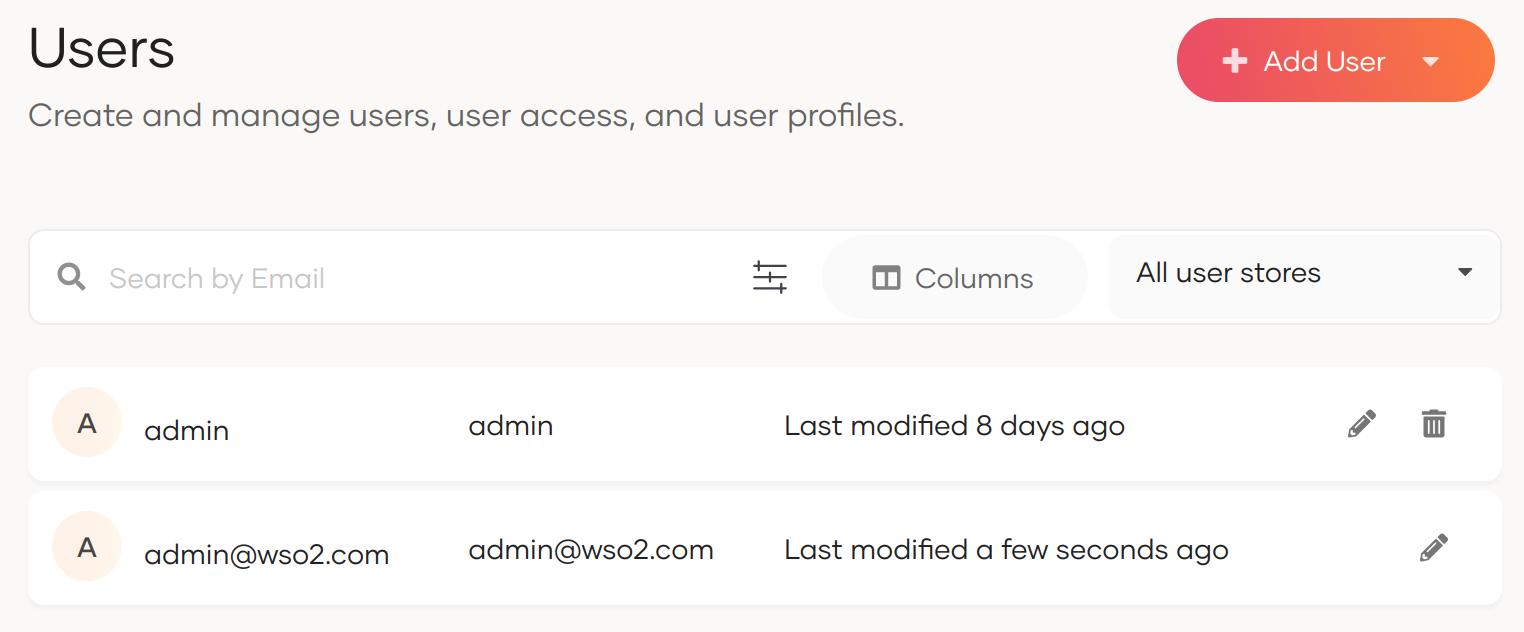
Before this configuration, the user having the username admin and password admin was considered the super administrator. The super administrator user cannot be deleted.
After this configuration, the user having the username
[email protected]is considered the super administrator. The user having the username admin is considered as a normal administrator.
-
Update the username claim mapping in the
<IS_HOME>/repository/conf/claim-config.xmlfile.Important
By default, the claim
http://wso2.org/claims/usernameis mapped to theuidattribute in the userstore. When enabling email as username, this mapping must be changed tomailto ensure the username is correctly stored and retrieved from the userstore.Without this change, the super admin's username will remain stored under the
uidattribute instead ofmail, which can cause issues.In the
<Dialect dialectURI="http://wso2.org/claims">dialect, locate the<Claim>element withClaimURIashttp://wso2.org/claims/usernameand update theAttributeIDfromuidtomail: -
Restart the server.