Demonstrating Proof of Possession (DPoP)
Demonstrating Proof of Possession (DPoP) (RFC 9449) defines a binding mechanism that ties an access token to the client’s private key. To prove possession of the key, the client includes a signed DPoP proof in the DPoP header of each request. This ensures that only the legitimate client holding the corresponding private key can use the access token.
DPoP enhances security by preventing token misuse and replay attacks, making it a robust solution for securing access tokens across all OAuth 2.0 grant types.
Configure your application for DPoP
Follow these steps to enable DPoP for your application:
-
On the WSO2 Identity Server Console, create a standard-based application by selecting OAuth2.0 as the protocol.
-
Go to the application's Protocol tab and do the following:
-
Under Allowed grant types, select Client Credentials.
-
Under Access Token, select DPoP as the Token binding type.
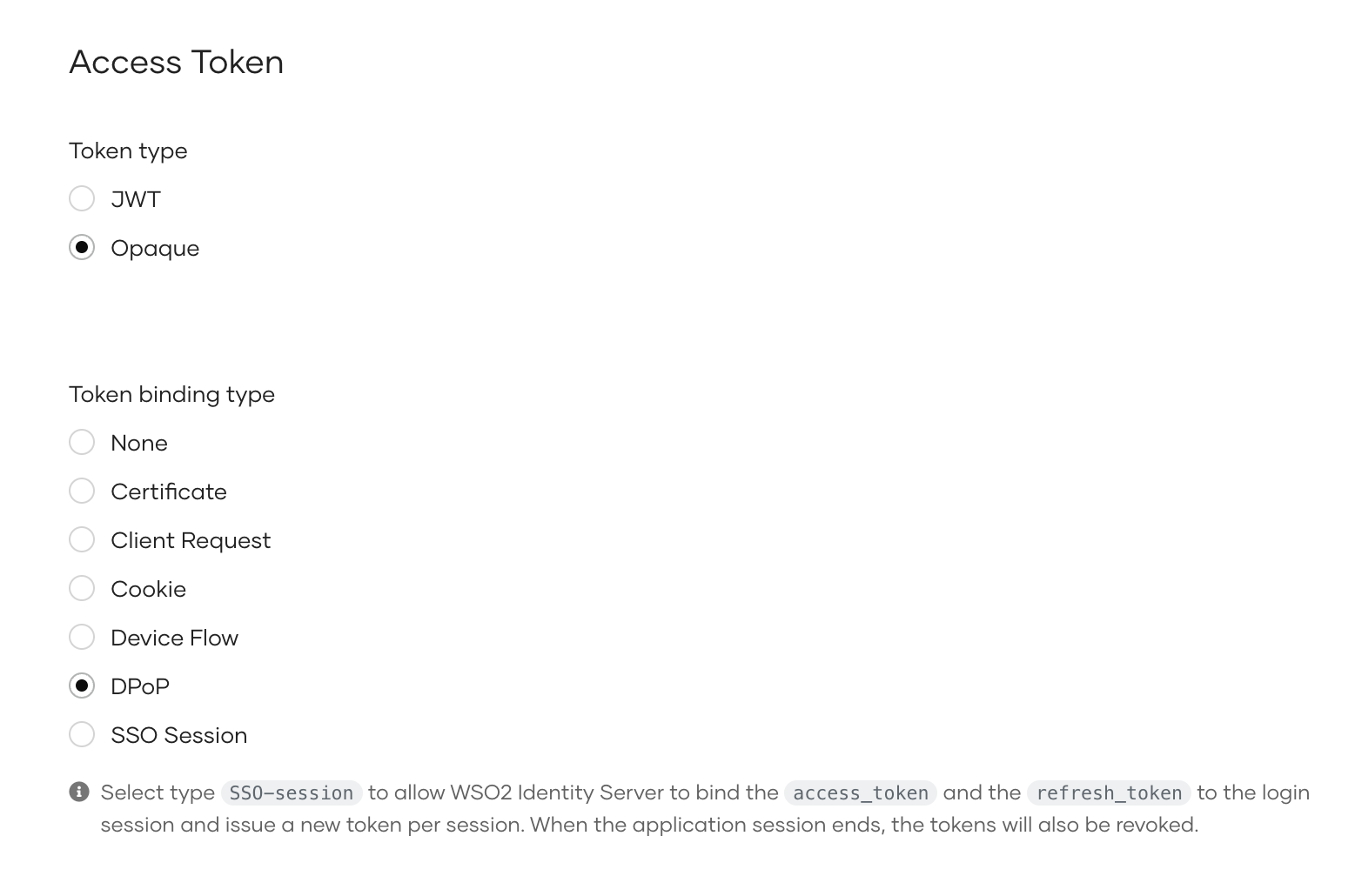
-
-
Click Update to save your changes.
Try it out
You can test DPoP support in WSO2 Identity Server using either the Client Credentials or Authorization Code grant. Follow the steps below to generate a DPoP proof and use it in token requests.
Generate a DPoP proof
Before making a token request, the client must generate a DPoP proof that proves possession of the private key. The client should include this proof in the DPoP header of the request. You can refer to the sample DPoP proof generator on GitHub.
Try with the client credentials grant
Use the following command to get a token using the client credentials grant:
Try with the authorization code grant
Follow the steps below to get a token using the authorization code grant:
-
Get an authorization code. To bind the code to the client, you can optionally include the thumbprint of the client’s public key using the
dpop_jktparameter. -
Use the following command to get a token using the authorization code grant.
 curl -X POST https://localhost:9443/oauth2/token \
-H "Content-Type: application/x-www-form-urlencoded" \
-H "DPoP: <dpop_proof>" \
-d "grant_type=authorization_code" \
-d "code=<authorization_code>" \
-d "client_id=<client_id>" \
-d "client_secret=<client_secret>" \
-d "redirect_uri=<redirect_uri>"