Share agents with organizations
If an AI agent defined in your root organization needs to operate within child organizations lower in the hierarchy, you can share that agent with the child organization.
What you'll learn
- Sharing agents - How to share a root organization's agent with child organizations so it can operate within them.
- Assign roles to shared agents - How to control what a shared agent can do in each child organization by assigning roles when sharing.
- Acting on its own flow - How a shared agent obtains a token scoped to a child organization to act on its own behalf.
- OBO flow - The On-Behalf-Of flow that lets a shared agent act on behalf of a child organization's users.
How agent sharing works
When you share an agent from a parent organization with a child organization:
- The shared agent can authenticate using tokens issued in the context of the child organization.
- The shared agent can act on behalf of the child organization's users through the On-Behalf-Of (OBO) flow.
- You can assign roles to the shared agent in each child organization to control what it can do there.
Sharing policies
When you share an agent, you select a policy that determines which organizations receive it.
| Policy | Behavior |
|---|---|
SELECTED_ORG_ONLY |
Shares the agent with only the selected organization. |
SELECTED_ORG_WITH_ALL_EXISTING_AND_FUTURE_CHILDREN |
Shares the agent with the selected organization and all its existing and future child organizations. |
ALL_EXISTING_AND_FUTURE_ORGS |
Shares the agent with all existing organizations and any organizations created in the future. |
Example
Your platform (root organization) defines a Support Assistant agent. You share it with a business (child organization) using SELECTED_ORG_WITH_ALL_EXISTING_AND_FUTURE_CHILDREN, so the business and all its regional offices can use the same agent identity.
Assign roles to shared agents
When sharing an agent, you can optionally assign roles to it in each child organization through a role assignment configuration:
NONE- Do not assign any roles to the agent via sharing.SELECTED- Assign only the roles you list. Each role is identified by its display name and audience (organizationorapplication).
Note
If no role assignment is provided, the agent is shared with no roles by default (same as NONE).
Share an agent
An administrator can share an agent with one or more organizations through the WSO2 Identity Server Console.
-
On the WSO2 Identity Server Console, go to Agents.
-
Find the agent in the agent list and click Edit.
-
Go to the Shared Access tab.
-
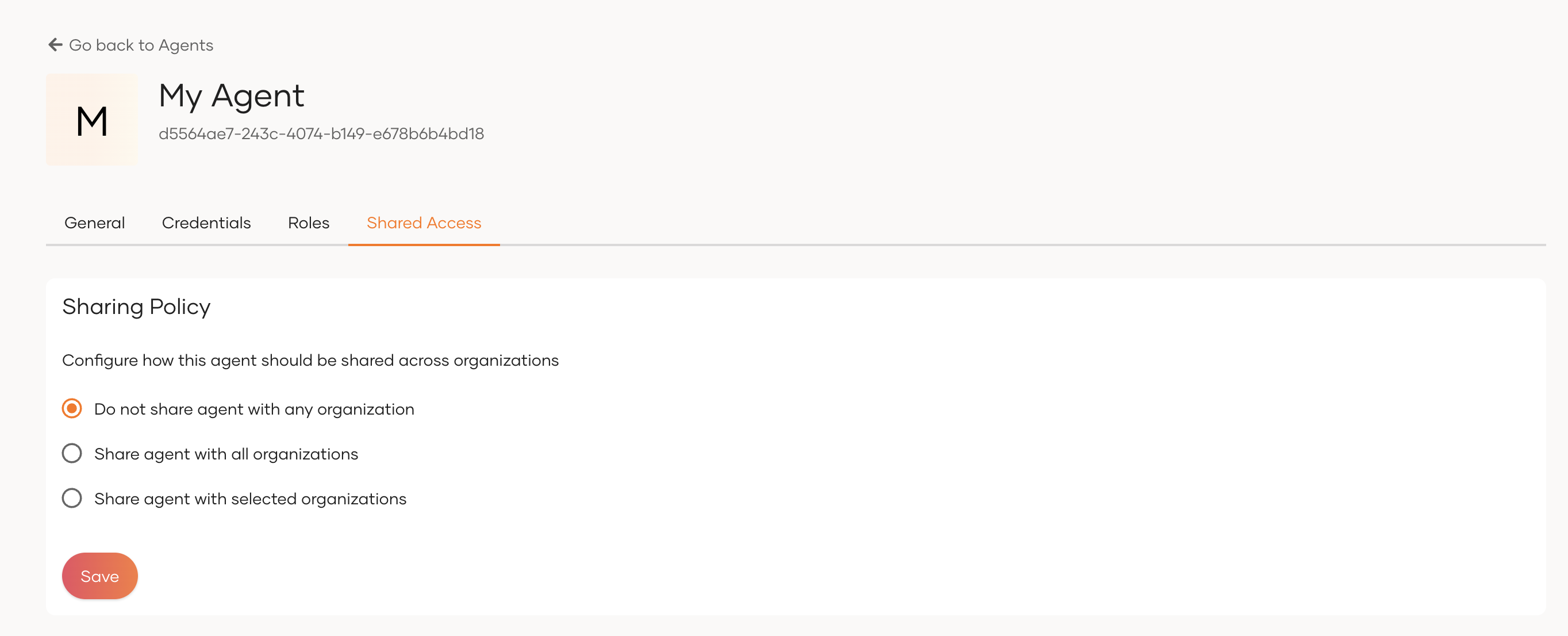
Select the appropriate sharing option:
- Do not share agent with any organization - the agent is not shared with any organization.
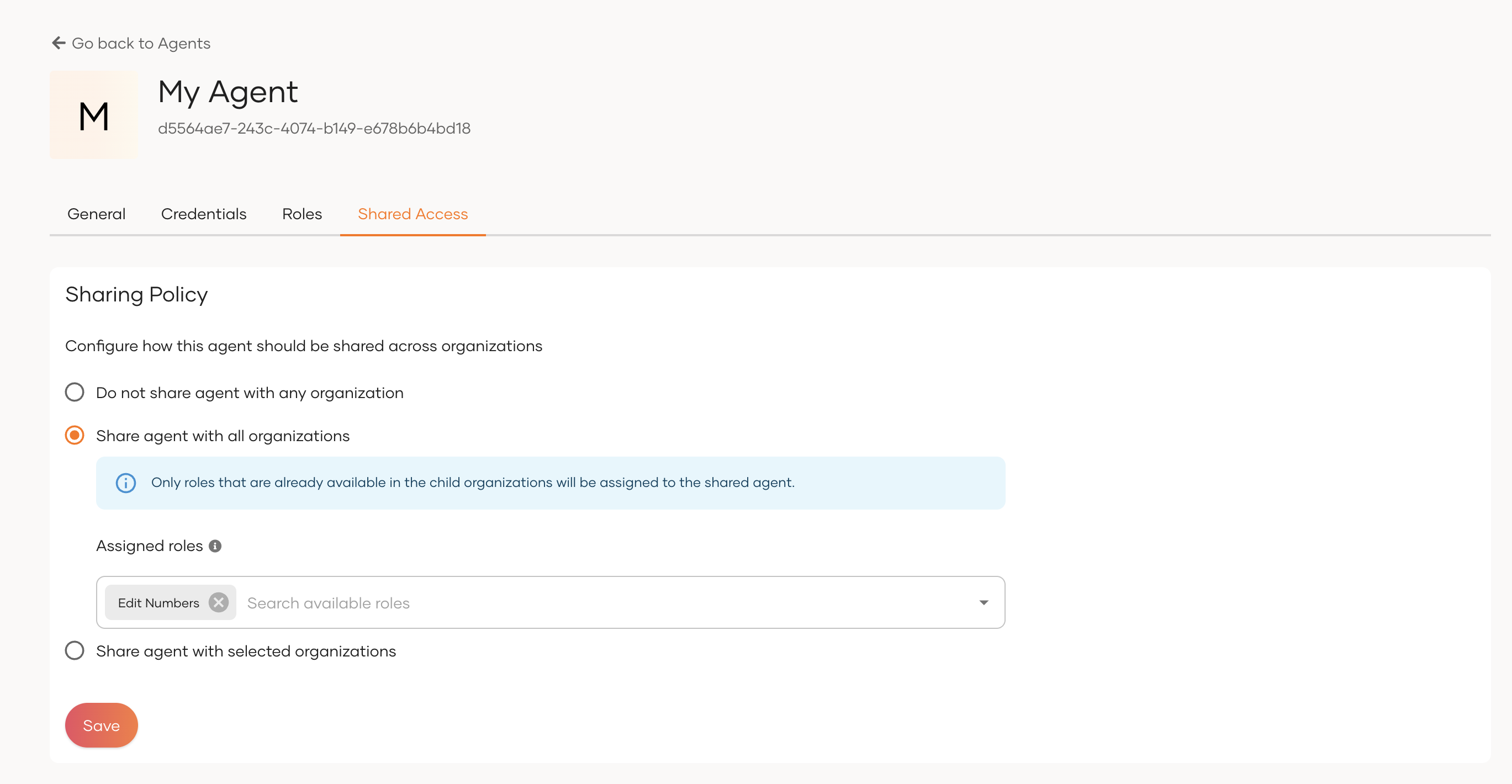
- Share agent with all organizations - the agent is shared with all current and future organizations. You can also configure which roles to assign to the agent in the shared organizations.
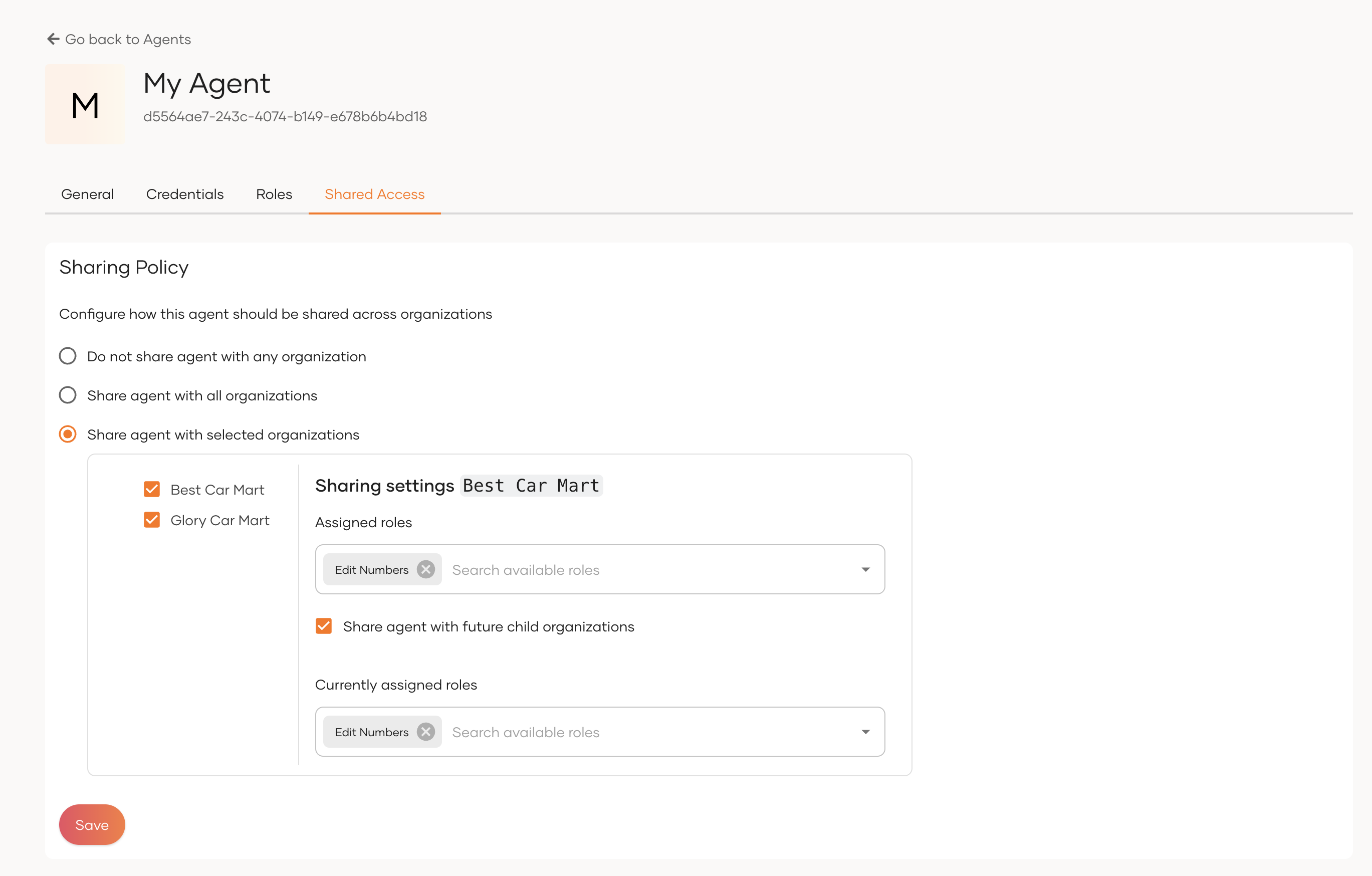
- Share agent with selected organizations - the agent is shared with a specific set of existing organizations (optionally including their child organizations). You can configure which roles to assign to the agent in each shared organization.
-
Once selected and configured, click Save.
Use the API
You can share agents, update their role assignments, and revoke shared access using the Agent Sharing API.
Authenticate shared agents
A shared agent supports the same two authentication scenarios as any other agent — acting on its own and acting on behalf of a user — but the tokens are issued in the context of a child organization.
In both cases, the agent first authenticates in its home (root) organization to get an access token. See Authenticating AI Agents for how the agent obtains this token using its Agent ID and Agent Secret.
Acting on its own
To operate in a child organization, the agent exchanges the access token it obtained in the root organization for a token scoped to the child organization, using the organization switch grant.
curl --location 'https://localhost:9443/t/{root_organization_handle}/oauth2/token' \
--header 'Content-Type: application/x-www-form-urlencoded' \
--data-urlencode 'grant_type=organization_switch' \
--data-urlencode 'client_id=<client_id>' \
--data-urlencode 'token=<agent_access_token>' \
--data-urlencode 'switching_organization=<child_organization_id>' \
--data-urlencode 'scope=<scopes>'
| Parameter | Description |
|---|---|
token |
The agent's access token obtained in the root organization. |
switching_organization |
The ID of the child organization the agent is switching into. |
scope |
The scopes the agent requests in the child organization. |
The returned access token is issued in the context of the child organization. The agent can use it to access resources there, limited by the roles assigned to the shared agent in that organization.
Acting on behalf of a user
To act on behalf of a user in a child organization, the agent uses the On-Behalf-Of (OBO) flow. The agent's child-organization token (obtained through the organization switch grant above) acts as the actor token in this flow.
-
Redirect the user to the authorization endpoint, including the
requested_actorparameter set to the shared agent's ID. -
After the user authenticates and consents, exchange the returned authorization code for a delegated (OBO) token, attaching the agent's actor token.
curl --location 'https://localhost:9443/t/{root_organization_handle}/oauth2/token' \
--header 'Content-Type: application/x-www-form-urlencoded' \
--data-urlencode 'grant_type=authorization_code' \
--data-urlencode 'client_id=<client_id>' \
--data-urlencode 'code=<authorization_code>' \
--data-urlencode 'redirect_uri=<redirect_uri>' \
--data-urlencode 'code_verifier=<code_verifier>' \
--data-urlencode 'actor_token=<agent_actor_token>' \
--data-urlencode 'resource=<resource>'
Parameter Description actor_tokenThe shared agent's access token in the child organization, obtained through the organization switch grant. resourceThe protected resource the agent intends to access on behalf of the user.
The issued token represents both the user and the shared agent acting on their behalf, scoped to the child organization.
What's next?
Learn how to authorize access to MCP servers that child organizations inherit in a B2B setup.