Change Tenant Keystore
This guide explains how to change the keystore of a tenant in WSO2 Identity Server.
For example, assume we are updating the keystore of the tenant wso.com using the new keystore file wso-com.jks.
Changing the tenant keystore requires downloading the existing keystore, retrieving and decrypting passwords, generating a new certificate, and updating the keystore configuration.
Warning
This process must be done carefully to ensure that existing users do not lose access to the Identity Server after the keystore is updated.
Step 1 - Download the Tenant Keystore
Download the tenant keystore using the following curl command.
Replace wso.com with your tenant domain and wso-com.jks with the tenant keystore filename.
Authorization requires a Base64-encoded string of username@tenantdomain:password.
Example:
- Before encoding:
[email protected]:admin - After encoding:
YWRtaW5Ad3NvLmNvbTphZG1pbg==
curl -k 'https://localhost:9443/t/wso.com/registry/resource/_system/governance/repository/security/key-stores/wso-com.jks' \
  -H 'Accept-Language: en' \
  -H 'Authorization: Basic YWRtaW5Ad3NvLmNvbTphZG1pbg==' \
  --output wso-com.jks
This will output the keystore as wso-com.jks.
Repeat for other tenant keystore files using respective credentials.
Step 2 - Retrieve Encrypted Keystore Passwords
Run the following SQL query in your database to fetch encrypted passwords:
select
  um.um_domain_name,
  rp.reg_value as password,
  rp3.reg_value as privatekeyPass
from reg_property rp
left join um_tenant um on um.um_id=rp.reg_tenant_id
left join reg_property rp3 on rp3.reg_tenant_id=rp.reg_tenant_id
where rp.reg_name='password'
and rp3.reg_name='privatekeyPass';

Note
The default tenant (carbon.super) passwords must be queried separately.
Step 3 - Decrypt Keystore Passwords
Use the WSO2 Tenant Password Decryptor (or a similar tool) to decrypt the retrieved keystore passwords.
From IS 5.6 onwards, AES encryption is used. Use the SymmetricKeyDecryptImpl class as shown below.
java -cp org.wso2.custom.password.decrypt-1.0.0.jar:lib/* \
  org.wso2.custom.password.decrypt.SymmetricKeyDecryptImpl $CipherText $EncryptionKey
- CipherText: The encrypted password copied from the DB query.
- EncryptionKey: Found in the
default.jsonfile asencryption.keyinside IS.
Sample Execution:
java -cp org.wso2.custom.password.decrypt-1.0.0.jar:lib/* \
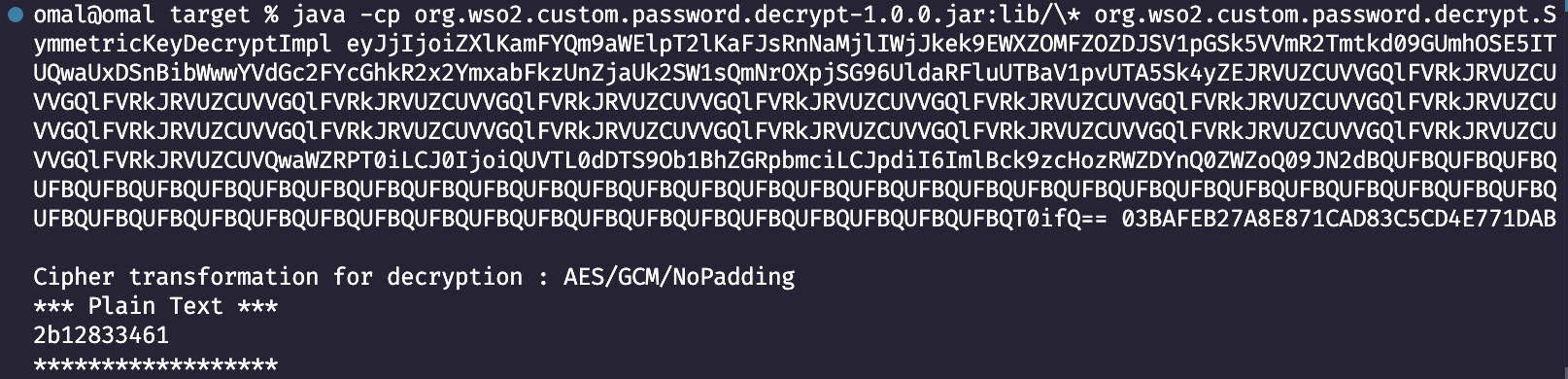
  org.wso2.custom.password.decrypt.SymmetricKeyDecryptImpl eyJjIjoiZXlKamFYQm9aWElpT2lKaFJsRnNaMjlIWjJkek9EWXZOMFZOZDJSV1pGSk5VVmR2Tmtkd09GUmhOSE5ITUQwaUxDSnBibWwwYVdGc2FYcGhkR2x2YmxabFkzUnZjaUk2SW1sQmNrOXpjSG96UldaRFluUTBaV1pvUTA5Sk4yZEJRVUZCUVVGQlFVRkJRVUZCUVVGQlFVRkJRVUZCUVVGQlFVRkJRVUZCUVVGQlFVRkJRVUZCUVVGQlFVRkJRVUZCUVVGQlFVRkJRVUZCUVVGQlFVRkJRVUZCUVVGQlFVRkJRVUZCUVVGQlFVRkJRVUZCUVVGQlFVRkJRVUZCUVVGQlFVRkJRVUZCUVVGQlFVRkJRVUZCUVVGQlFVRkJRVUZCUVVGQlFVRkJRVUZCUVVGQlFVRkJRVUZCUVVGQlFVRkJRVUZCUVQwaWZRPT0iLCJ0IjoiQUVTL0dDTS9Ob1BhZGRpbmciLCJpdiI6ImlBck9zcHozRWZDYnQ0ZWZoQ09JN2dBQUFBQUFBQUFBQUFBQUFBQUFBQUFBQUFBQUFBQUFBQUFBQUFBQUFBQUFBQUFBQUFBQUFBQUFBQUFBQUFBQUFBQUFBQUFBQUFBQUFBQUFBQUFBQUFBQUFBQUFBQUFBQUFBQUFBQUFBQUFBQUFBQUFBQUFBQUFBQUFBQUFBQUFBQUFBQUFBQUFBQUFBQUFBQUFBQUFBQT0ifQ== 03BAFEB27A8E871CAD83C5CD4E771DAB
Sample Output:
Step 4 - Prepare the New Keystore
Generate a new self-signed certificate
keytool -certreq \
  -alias wso.com \
  -keystore wso-com.jks \
  -file certreq-wso-com.csr \
  -storepass "2b12833461"
Export the keystore to PKCS12 format
keytool -importkeystore \
  -srckeystore wso-com.jks \
  -destkeystore wso-com-new.p12 \
  -srcstoretype JKS \
  -deststoretype PKCS12 \
  -srcalias wso.com \
  -srcstorepass "2b12833461" \
  -deststorepass "2b12833461"
Extract the private key
openssl pkcs12 -in wso-com-new.p12 -nocerts -nodes -out private_key.pem \
  -password pass:"2b12833461"
Extract the certificate
openssl x509 -req \
  -in certreq-wso-com.csr \
  -signkey private_key.pem \
  -out new_certificate_wso_com.crt \
  -days 365 \
  -sha256
Import the root certificate (if necessary)
keytool -importcert \
  -alias root-ca \
  -keystore wso-com.jks \
  -file root_ca.crt
Import the updated certificate
keytool -importcert \
  -alias wso.com \
  -keystore wso-com.jks \
  -file new_certificate_wso_com.crt \
  -storepass "2b12833461"
Step 5 - Base64 Encode the Keystore
Run the following command to Base64 encode the keystore file.
openssl base64 -in wso-com.jks -out wso-com.jks.base64
cat wso-com.jks.base64
Step 6 - Upload the New Keystore via SOAP API
Upload the Base64-encoded keystore using KeyStoreAdminService.
curl --location 'https://localhost:9443/services/KeyStoreAdminService.KeyStoreAdminServiceHttpsSoap12Endpoint/' \
--header 'Content-Type: application/soap+xml;charset=UTF-8;' \
--header 'Authorization: Basic base64<username@tenantdomain:password>' \
--data '<soap:Envelope xmlns:soap="http://www.w3.org/2003/05/soap-envelope" xmlns:ser="http://service.keystore.security.carbon.wso2.org">
   <soap:Header/>
   <soap:Body>
      <ser:addKeyStore>
         <ser:fileData>base64<CONTENT_FROM_STEP_5></ser:fileData>
         <ser:filename>wso-com-tmp.jks</ser:filename>
         <ser:password>2b12833461</ser:password>
         <ser:provider>?</ser:provider>
         <ser:type>JKS</ser:type>
         <ser:pvtkeyPass>2b12833461</ser:pvtkeyPass>
      </ser:addKeyStore>
   </soap:Body>
</soap:Envelope>' --insecure
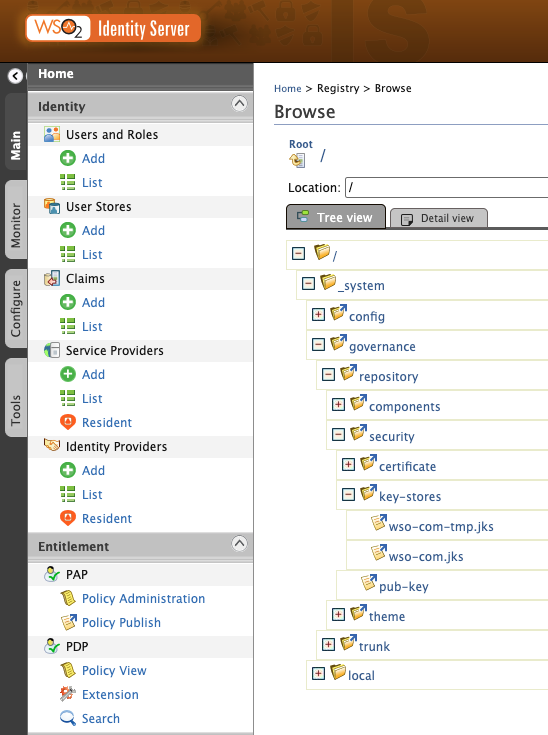
If successful, you can see the added .jks file in the registry as follows.
Step 7 - Delete old registry entry
You must delete the old keystore entry before updating it.
Note
Use -v parameter to capture the JSESSIONID cookie from the response headers. This is required for the renaming step.
curl --location 'https://localhost:9443/services/ResourceAdminService.ResourceAdminServiceHttpsSoap12Endpoint/' \
--header 'Content-Type: application/soap+xml;charset=UTF-8;' \
--header 'Authorization: Basic <base64(username@tenantdomain:password)>' \
--data '<soap:Envelope xmlns:soap="http://www.w3.org/2003/05/soap-envelope" xmlns:ser="http://services.resource.registry.carbon.wso2.org">
   <soap:Header/>
   <soap:Body>
      <ser:delete>
         <ser:pathToDelete>/_system/governance/repository/security/key-stores/wso-com.jks</ser:pathToDelete>
      </ser:delete>
   </soap:Body>
</soap:Envelope>' --insecure -v
Example cookie from response:
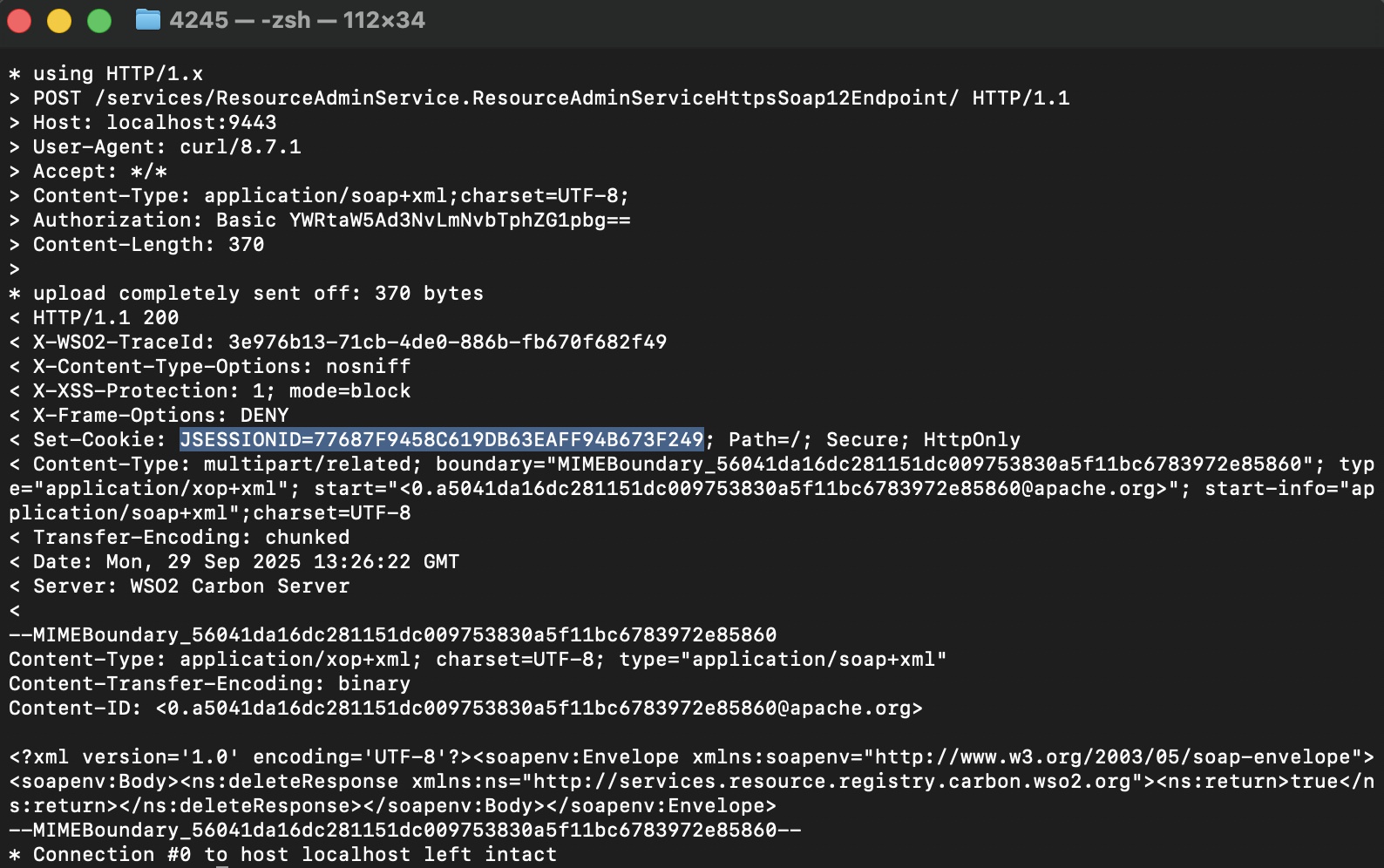
JSESSIONID=611D695D3089BD68FE06D16B4278ED55
Warning
Do not proceed without saving the JSESSIONID. Without it, you may lose tenant access.
Step 8 - Rename the new keystore entry
Rename the newly added keystore to its original name (wso-com.jks) using the captured JSESSIONID.
curl --location 'https://localhost:9443/services/ResourceAdminService.ResourceAdminServiceHttpsSoap12Endpoint/' \
--header 'Content-Type: application/soap+xml;charset=UTF-8;' \
--header 'Cookie: JSESSIONID=E09AFE6C00442668D049669AE4BF69FA' \
--data '<soap:Envelope xmlns:soap="http://www.w3.org/2003/05/soap-envelope" xmlns:ser="http://services.resource.registry.carbon.wso2.org">
    <soap:Header/>
    <soap:Body>
        <ser:renameResource>
            <ser:parentPath>/_system/governance/repository/security/key-stores/</ser:parentPath>
            <ser:oldResourcePath>/_system/governance/repository/security/key-stores/wso-com-tmp.jks</ser:oldResourcePath>
            <ser:newResourceName>wso-com.jks</ser:newResourceName>
        </ser:renameResource>
    </soap:Body>
</soap:Envelope>' --insecure
Success
Now the tenant keystore has been updated and restored under its original name.