Configuring Password Recovery with Email
WSO2 Identity Server enables resetting user passwords by emailing a password reset link to the user’s registered email Id.
Scenario
Pickup is a cab company that has many employees who use different credentials to sign in to different internal enterprise applications. Alex who is a new recruit at Pickup has forgotten the password.
Let's learn how Alex can recover the password via email!
Set up
Follow the steps below to configure WSO2 Identity Server to enable password reset via email notifications.
-
Open the
deployment.tomlfile in the<IS_HOME>/repository/confdirectory.-
Check whether the following listener configs are in place.
[event.default_listener.identity_mgt] priority= "50" enable = false [event.default_listener.governance_identity_mgt] priority= "95" enable = true [event.default_listener.governance_identity_store] priority= "97" enable = true -
To configure the email server to send emails requesting password reset, add the following configurations.
- from_address: This is the email address from which the confirmation email will be sent.
- username: This is the user name of the given email address.
- password: This is the password of the given email address.
[output_adapter.email] from_address= "" username= "" password= "" hostname= "smtp.gmail.com" port= 587 enable_start_tls= true enable_authentication= true[output_adapter.email] from_address= "[email protected]" username= "wso2iamtest" password= "Wso2@iam70" hostname= "smtp.gmail.com" port= 587 enable_start_tls= true enable_authentication= trueIf you are using a Google email account
Google has restricted third-party applications and less secure applications from sending emails by default. As WSO2 Identity Server acts as a third-party application when sending emails for password entry, follow the steps below to enable your Google email account to provide access to third-party applications.
-
Under Signing in to Google section, turn off the 2-step Verification option.
-
-
Sign in to the WSO2 Identity Server Management Console at
https://<SERVER_HOST>:9443/carbonas an administrator. -
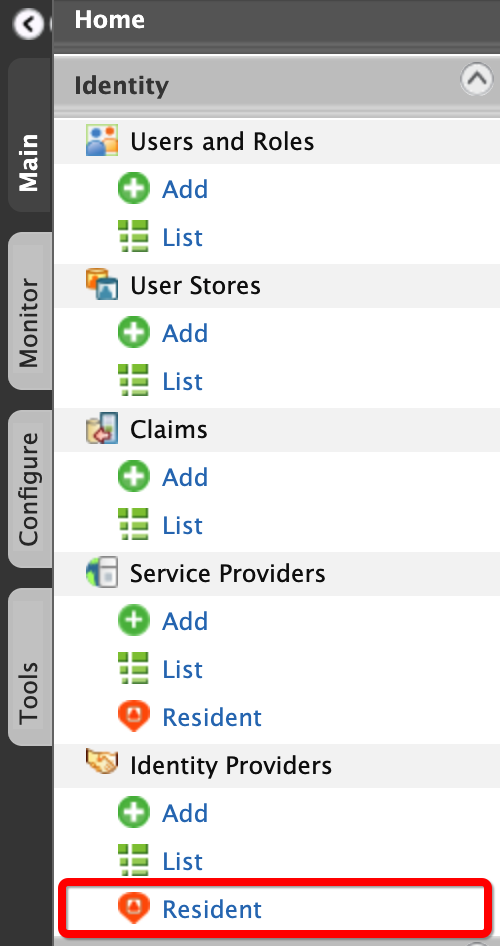
On the Main menu of the Management Console, click Identity > Identity Providers > Resident.
-
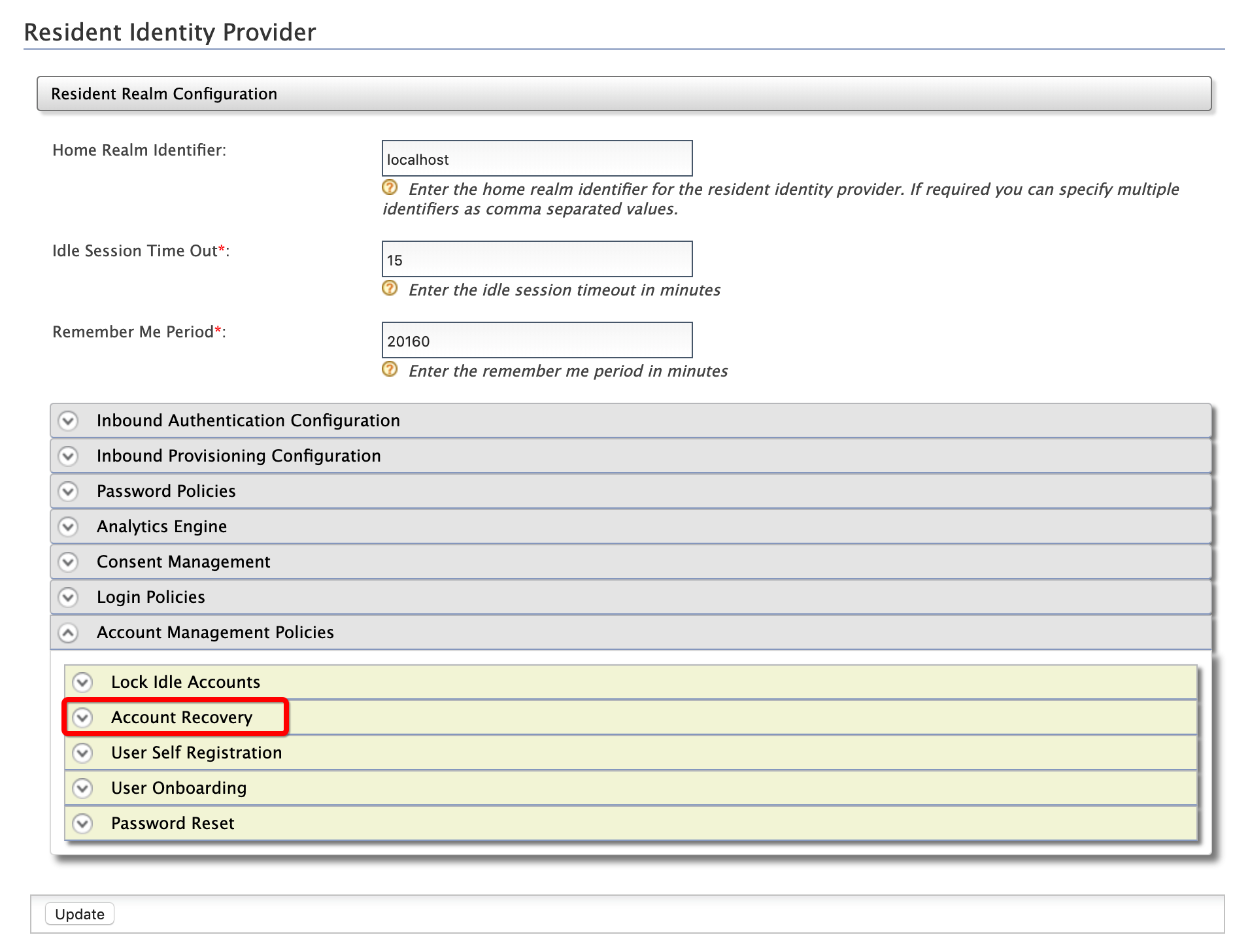
Under the Account Management Policies section, click Account Recovery.
-
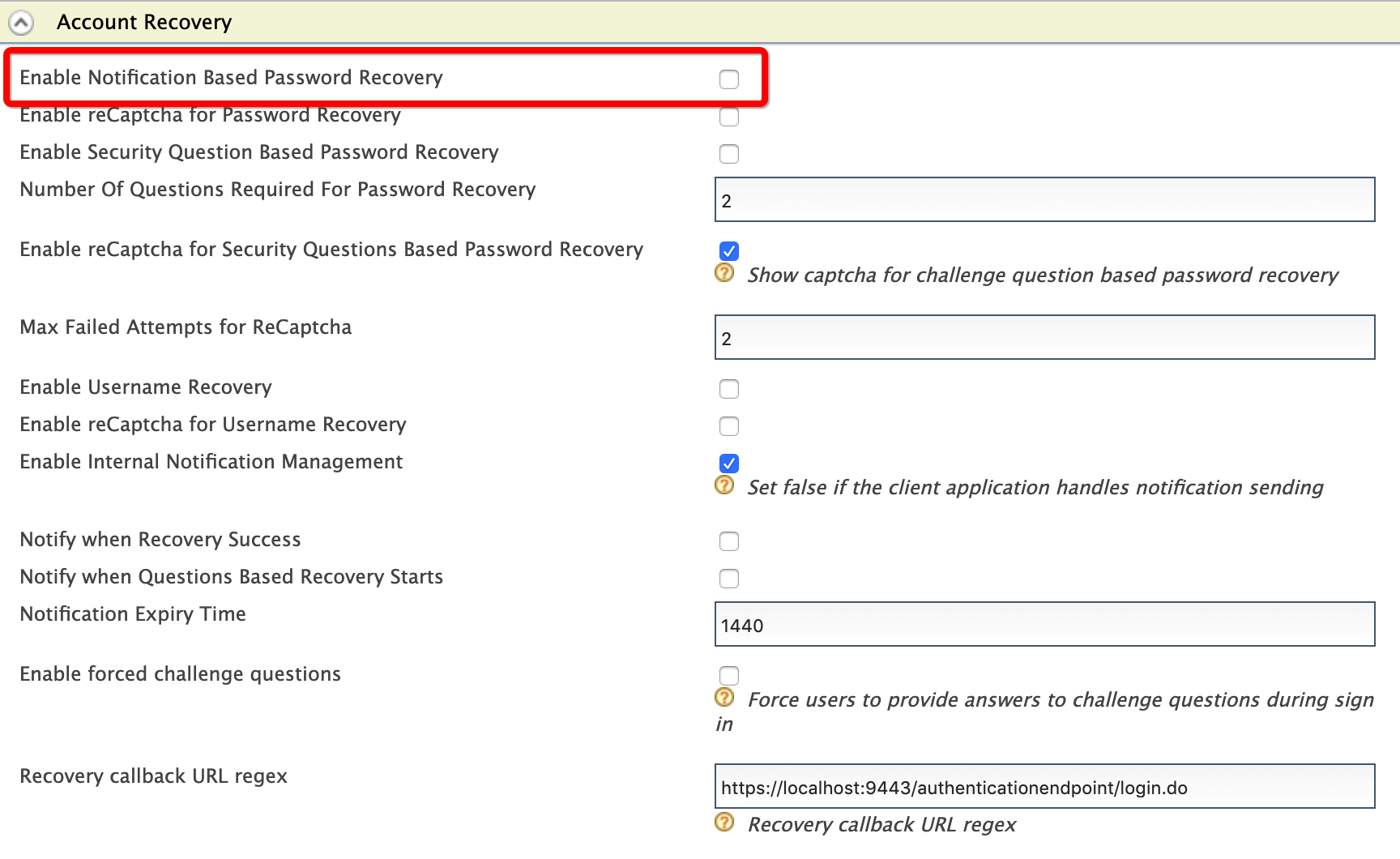
Select Enable Notification Based Password Recovery check box.
-
Click Update.
Try out
-
To create the user account for Alex:
-
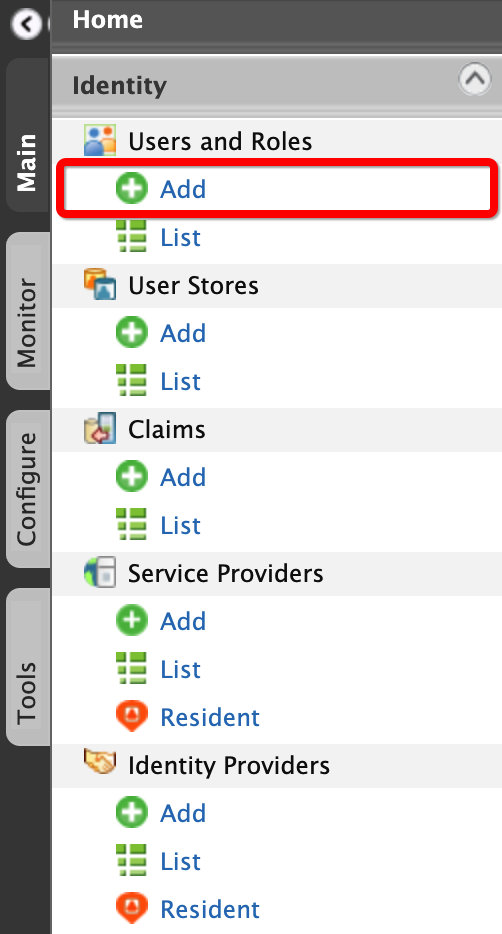
On the Main menu of the Management Console, click Identity > Users and Roles > Add.
-
Click Add New User.

-
Enter the required data as follows.
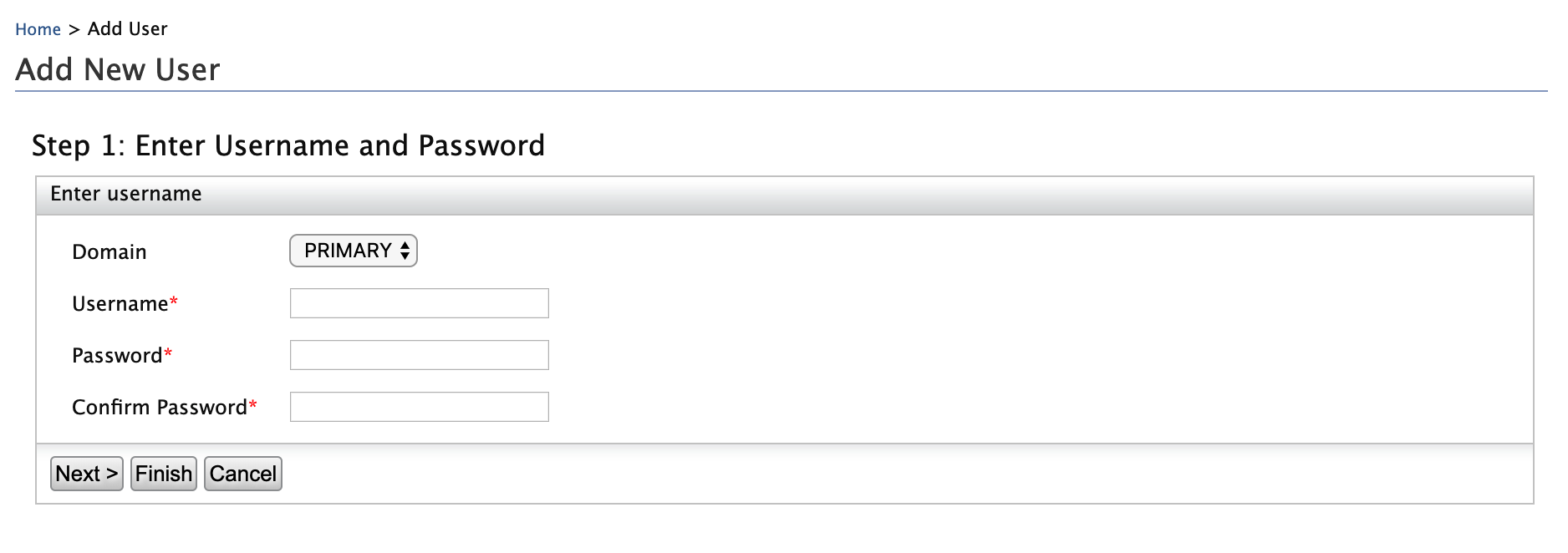
- Domain:
Primary - Username:
Alex
- Domain:
-
Click Finish.
-
-
To assign login permissions to the user:
-
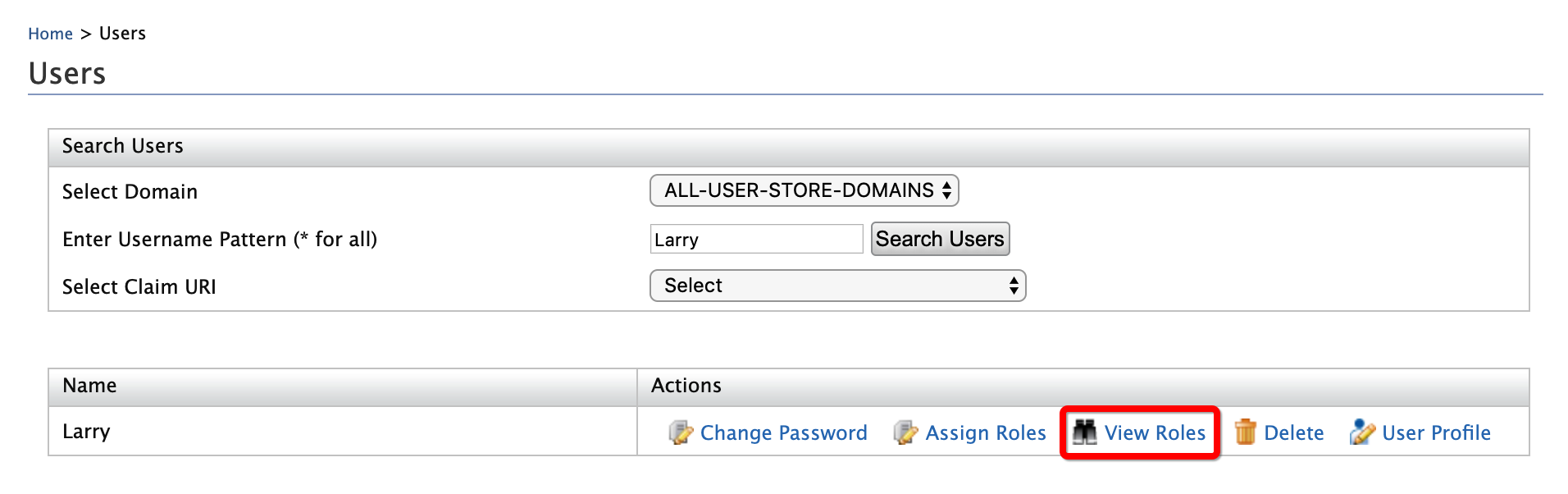
Click the View Roles option of Alex.
-
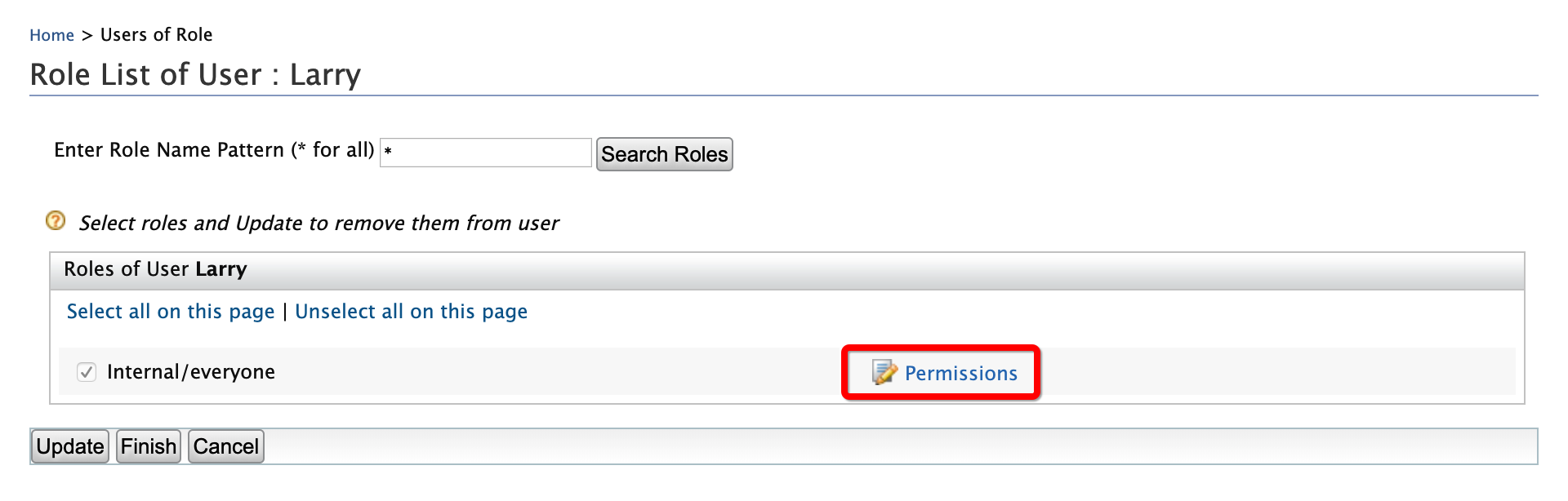
Click Permissions.
-
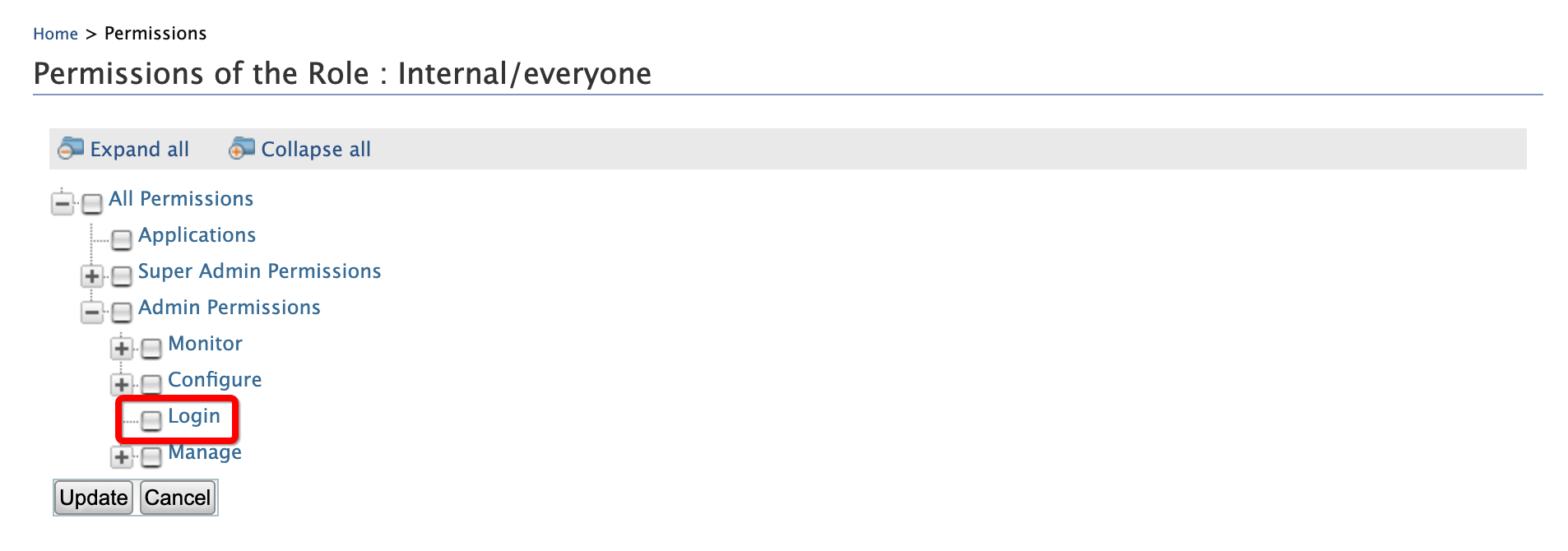
Select Login and click Update.
-
-
To add Alex's email Id:
-
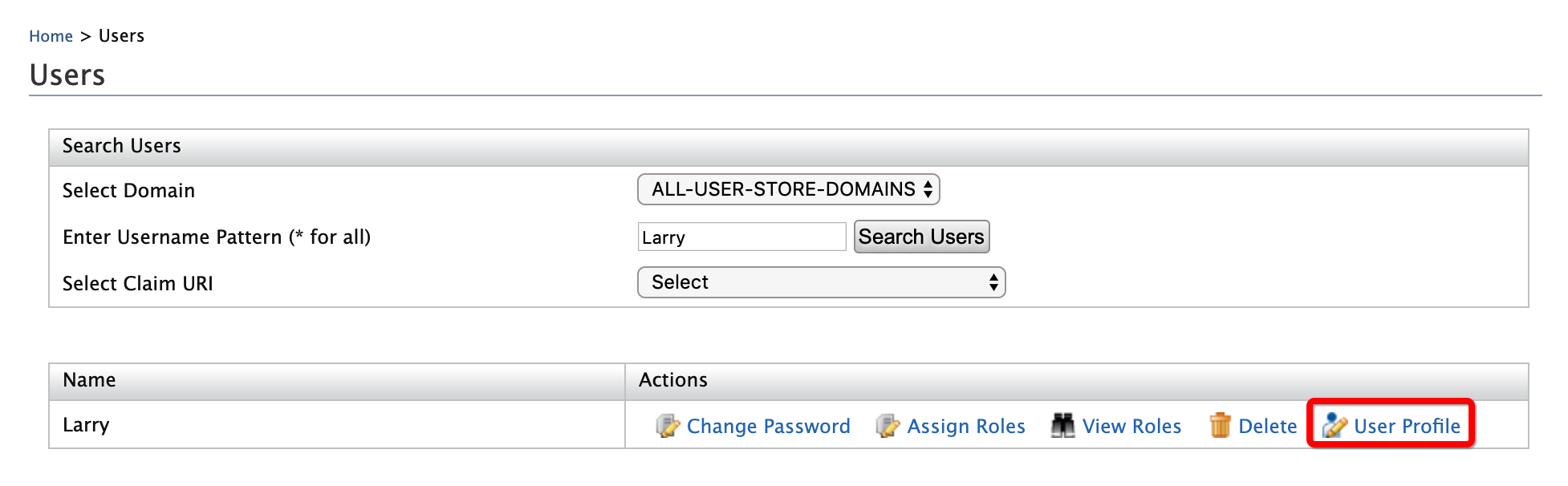
Click User Profile option of Patrick.
-
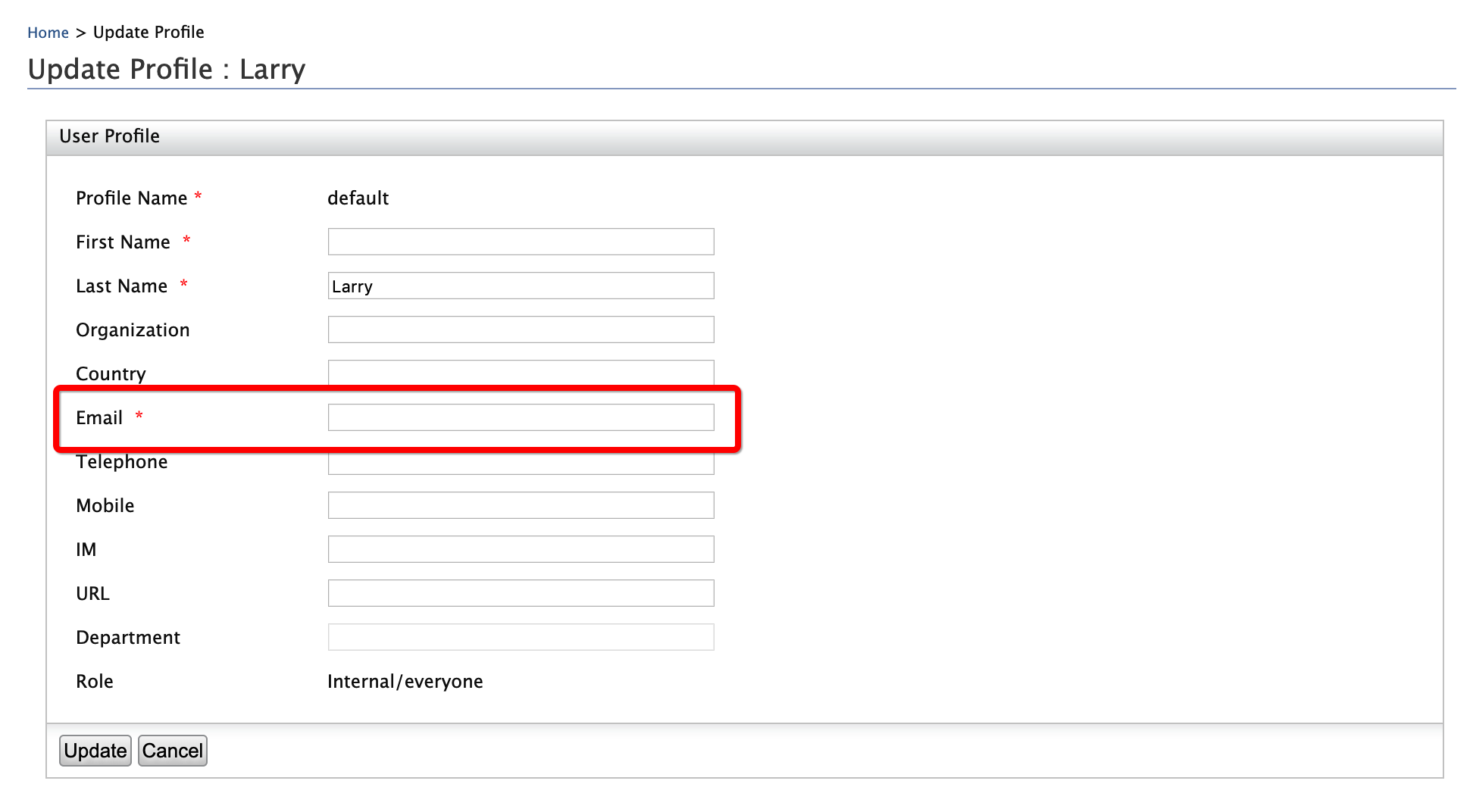
Enter an email address to which Alex's password recovery emails will be sent.
-
Click Update.
-
-
To mimic a forgotten password:
-
Access WSO2 Identity Server User Portal at
https://localhost:9443/user-portal/. -
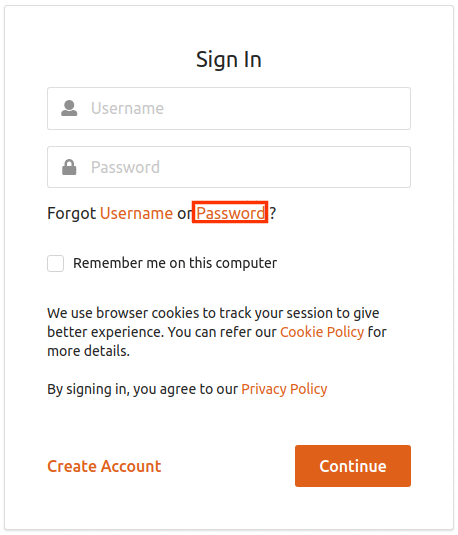
Click Password.
-
Enter the user name as
Alexand select the Recover with Mail option.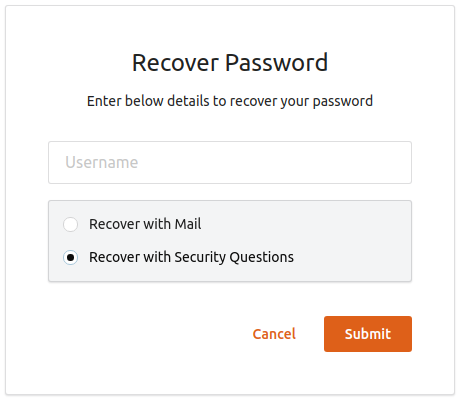
-
Click Submit.
-