Set up
The following guide explains how you can install and set up Sift in WSO2 Identity Server.
Prerequisites
You need to have a Sift account. If you don't have an account, create one by visiting the Sift website.
Step 1: Install the Sift connector
Follow the steps below to install Sift in WSO2 Identity Server.
- Download the following artifacts from the WSO2 Identity Server connector store.
org.wso2.carbon.identity.fraud.detection.sift-<version>.jar- The Sift connector jar file.sift-java-<version>.jar- The Sift Java SDK jar file.
- Copy the
org.wso2.carbon.identity.fraud.detection.sift-<version>.jarfile to the<IS_HOME>/repository/components/dropinsdirectory. - Copy the
sift-java-<version>.jarfile to the<IS_HOME>/repository/components/libdirectory. - Restart WSO2 Identity Server.
Step 2: Add the API key
To work with Sift, you need to register your Sift API key in WSO2 Identity Server. To do so,
- On the WSO2 Identity Server Console, go to Login & Registration.
- Click Sift Configuratioin and enter the API key.
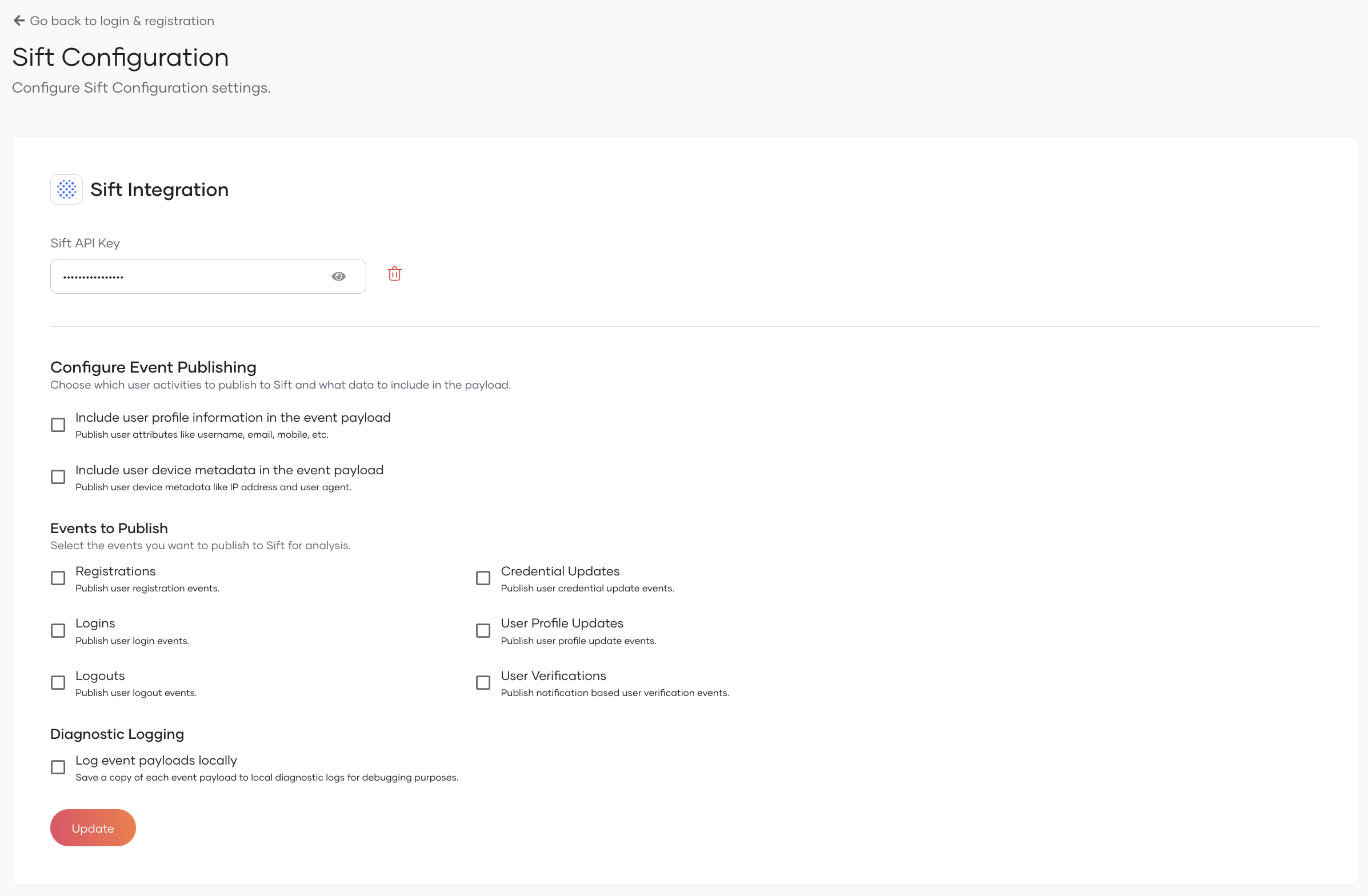
- Click Update to save the changes.
Step 3: Configure fraud detection settings
After adding the API key, you can further configure how WSO2 Identity Server interacts with Sift.
Information to include in the event payload
- Enable Include user profile information in the event payload to include the user's
email,mobile, andnamein events sent to Sift. - Enable Include user device metadata in the event payload to include the user's
IP addressandUser Agentin events sent to Sift.
Events to publish
You can select which user events are published to Sift for fraud analysis:
| Event | Description |
|---|---|
| Registrations | Publishes user registration events. |
| Credential Updates | Publishes user credential update events. |
| User Profile Updates | Publishes user profile update events. |
| Logins | Publishes user login events. |
| Logouts | Publishes user logout events. |
| User Verifications | Publishes notification-based user verification events. |
Note
User self-registration and password reset related Sift events are only published when using the legacy self-registration and password recovery flows.
Diagnostic logging
Enable Log event payloads locally to log the event payloads sent to Sift as diagnostic logs in WSO2 Identity Server. This is useful for troubleshooting your Sift integration.