Implement OIDC front-channel logout
Front-channel logout lets the authorization server notify client applications to end a user's session through the user's browser via iframes.
Use front-channel logout when client applications cannot accept server-to-server (back-channel) requests but can receive browser-delivered logout notifications.
For protocol details see the OpenID specification: OpenID Connect Front-Channel Logout 1.0.
How it works
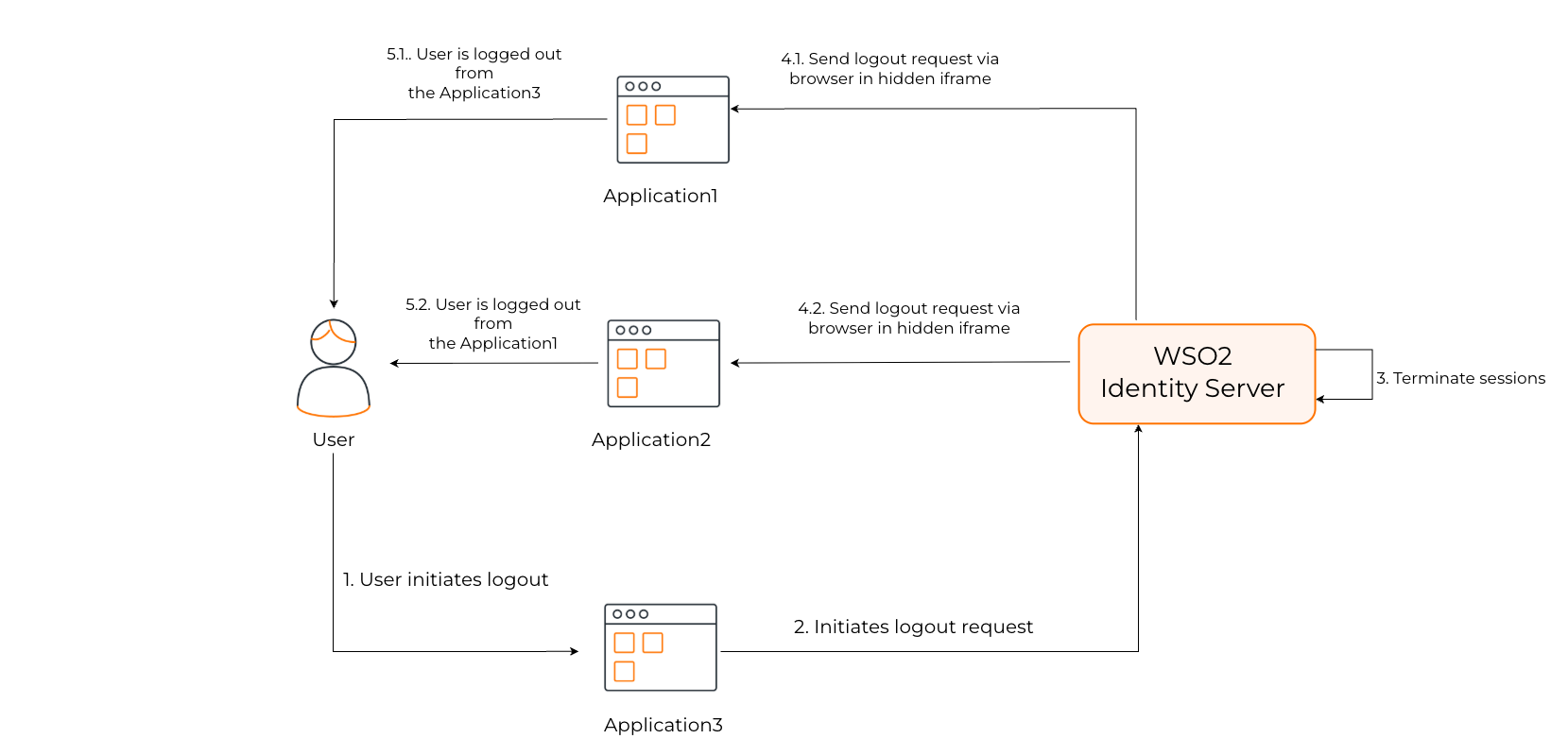
The front-channel logout flow works as follows:
- The client application initiates a user logout.
- WSO2 Identity Server terminates the user's session.
- WSO2 Identity Server identifies all the client applications associated with the user's session.
- WSO2 Identity Server responds with an HTML page that embeds an iframe for each application that has a front-channel logout URI configured.
- Upon receiving the logout request, each client application validates the requests and proceeds to invalidate the corresponding user session.
The logout request includes iss (issuer) and sid (session ID) query parameters.
Configure front-channel logout URL
If your application supports OIDC front-channel logout, you can configure the logout URL of the application in the Console. That endpoint can listen to OIDC front-channel logout requests from WSO2 Identity Server, and terminate the application's sessions.
To get started, you need to have an application registered in WSO2 Identity Server. If you don't already have one, register a web app with OIDC.
Follow the steps below to register the front-channel endpoint of your application with WSO2 Identity Server.
Before you begin
Register your OIDC application in WSO2 Identity Server.
-
On the WSO2 Identity Server Console, go to Applications and select your OIDC application.
-
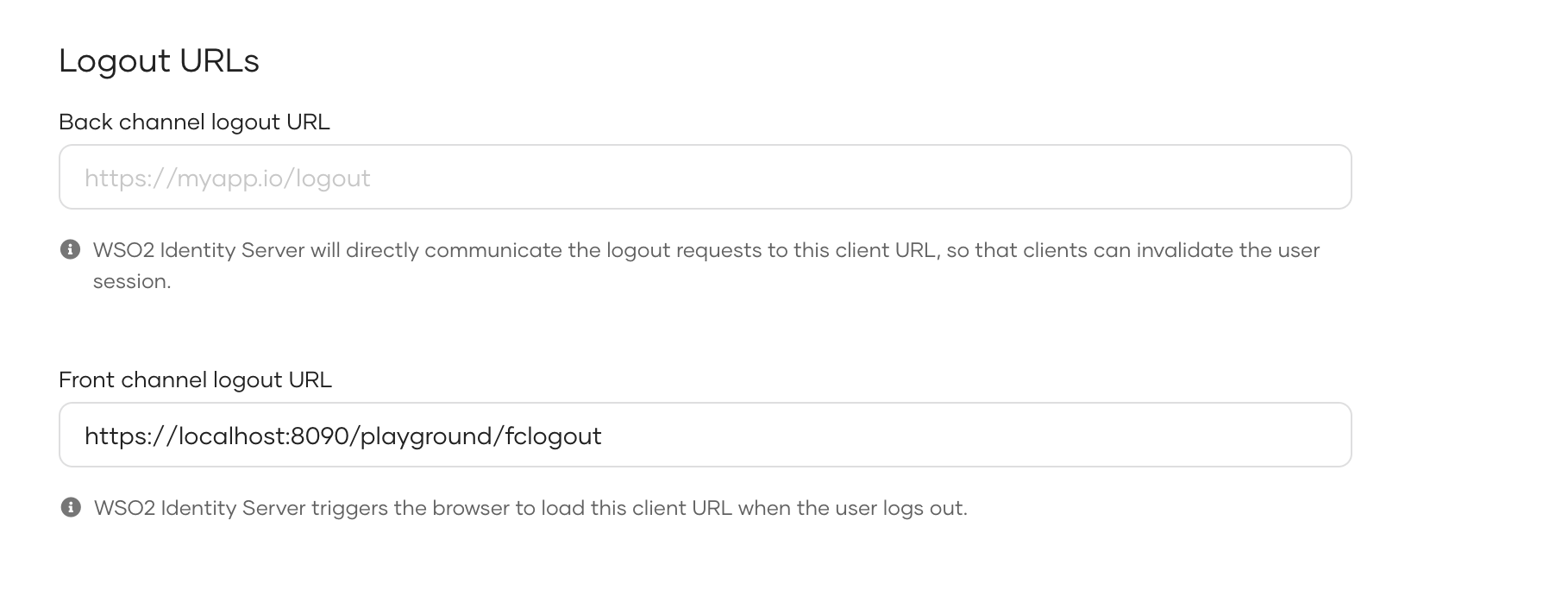
Go to the Protocol tab, and under Logout URLs, enter the Front channel logout URL.
-
Click Update to save your configurations.
Note
Cross-site cookie considerations
Front-channel logout uses GET requests delivered via iframes to notify client domains. While GET requests in iframes have good browser support, modern browsers restrict third-party cookies and cross-site tracking, which can cause logout to fail.
Recommendations:
- Prefer back-channel logout for reliable server-to-server session termination, as it does not depend on browser cookie policies.
- Consider hosting applications on subdomains of a shared parent domain (for example,
app1.example.comandapp2.example.com) so cookies can useDomain=.example.comand become first-party.